Top Online Payroll Software for Small Businesses in 2025
Human resources
Bonica
July 26, 2025
Remember when payroll was just a massive headache? Good news: it’s not anymore.
In 2025, small businesses are juggling tricky tax rules, scattered remote teams, and employees who expect things to be seamless.
That’s why you need payroll solutions that are smart but also easy to use. This guide delivers: top features, 7 best systems for 2025, real budget numbers, and easy transition plans.
Table of Contents
Key Features to Look for in Small Business Payroll Software

Before we even look at options, we need to talk about what truly matters in payroll software, so it’s a solid choice for your business now and in the years to come. The right payroll services provider makes your business workflow smoother.
Essential Tax Calculation and Filing Capabilities
Tax compliance remains the #1 reason businesses adopt specialized payroll software. The best systems in 2025 offer:
– Easy Tax Calculations: Federal, state, and local taxes are calculated for you, perfectly, every time.
– Effortless Tax Forms: Automatically creates and files your W-2s, 1099s, and quarterly reports.
– Tax liability notifications and payment scheduling
– Tax law update guarantees that shield your business from compliance issues
Look for systems that offer tax penalty protection—where the provider assumes financial responsibility for errors on their end. This feature alone can justify the investment in premium software.
Employee Self-Service Portals That Boost Productivity
People working today totally expect to get their employment info digitally, and good self-service portals just make that happen.
Employees can get to their current and old pay stubs and tax documents, update their personal details and banking info, manage their benefit selections, see their PTO balances, and finish all that onboarding paperwork electronically.
These portals don’t just meet employee expectations, they also seriously reduce HR’s workload, which means teams can spend time on higher-value stuff.
Mobile Accessibility for On-the-Go Business Owners
In 2025, business happens everywhere. Leading payroll systems offer robust mobile experiences that let you:
– Review and approve payroll runs from anywhere
– Access critical reports and compliance documents
– Respond to employee requests while away from your desk
– Receive immediate notifications regarding tax deadlines
Integration Options with Accounting and HR Systems
Standalone payroll creates information silos that lead to duplicated work and reconciliation headaches. The best payroll solutions offer:
– Direct sync with accounting software (QuickBooks, Xero).
– Connects easily to time tracking and scheduling tools.
– Connections to benefits administration platforms
– API access for custom integrations with industry-specific software
Integrations eliminate manual entry and errors. Don’t just trust “works with” claims; confirm the depth of those connections.
A Quora Rundown
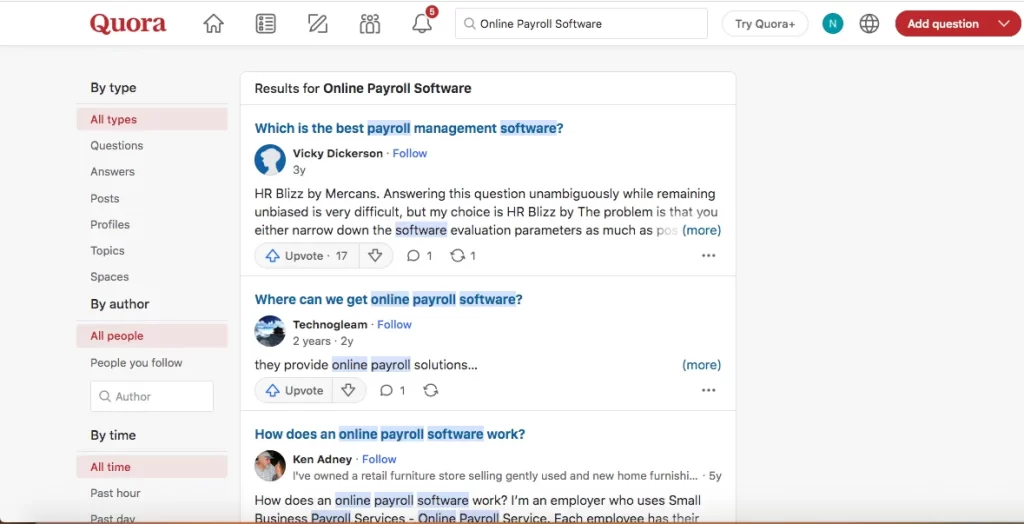
Quora users weigh in on payroll solutions for small businesses. Some of these insights date back a few years, but they still offer perspectives for 2025.
DIY and Spreadsheet-Based Approaches
Carl Heintz notes,
“My sense of it is that most of them are horribly over-priced and to a certain extent, unneeded. But then, I am trained in accounting… I set up a simple Excel spreadsheet that did the calculations easily. It was far more convenient, I had better visibility, and I was able to control the process. Saved several thousand dollars per year in needless fees.”
Automated All-in-One Platforms

YC Integrity Group LLC states,
“Payroll services provide a solution that makes it easier to calculate employee pay, deliver payment, and send required tax forms… The best services will offer an automated solution that collects employee time, calculates and processes payroll, and includes free end-of-year tax filings.”
Look for built-in compliance bots or AI audit trails that flag anomalies in real time.
Autopilot and Hands-Off Reliability
Vanessa Kruze stresses,
“If all of your employees are on salary, Gusto has a feature where you can set Autopilot and let payroll run itself… Other processors take 10 min to log in and ‘push a button’—but forget once and, wow, now you’ve got some upset employees! Won’t happen with Gusto’s autopilot feature.”
In 2025, seek platforms that send predictive alerts for upcoming deviations before they hit payroll.
Simplification vs. One-Size-Fits-All
Raj Mehta notes,
“Start paying same salary, no need to for an external payroll service… Finding ‘Best’ is time consuming, and offers no additional benefit.”
If you opt out of full payroll services, at minimum, use secure online calculators that update automatically with current tax rules to avoid manual miscalculations.
PEO and Outsourced Employer of Record
Kee Nethery states,
“I used a PEO, Professional Employment Organization, to hire all my employees… The big advantage was that they made sure that ALL the employee paperwork was correct. We never had an employee lawsuit in 25 years—we did everything by the book.”
PEOs bundle payroll, benefits, and HR compliance under one roof. A PEO can handle multi-jurisdiction complexities for you.
7 Best Payroll Software Solutions for Small Businesses in 2025

After analyzing dozens of payroll platforms, these seven solutions stand out for their combination of functionality, reliability, and value for small businesses in 2025.
QuickBooks Payroll: Comprehensive Solution for Growing Businesses
QuickBooks Payroll continues to dominate for businesses already using QuickBooks accounting software. Its 2025 version offers:
– Same-day direct deposit (an industry-leading feature)
– Automatic tax calculations with 100% accuracy guarantee
– Seamless integration with QuickBooks accounting
– HR support center with customizable employee handbooks
Best for: Businesses already invested in the QuickBooks ecosystem or those seeking accounting/payroll integration without complexity.
Pricing starts at: $37/month + $5/employee (Core plan)
Standout feature: With the higher-tier plans, you’re automatically protected against tax penalties, meaning both the interest and the fines from calculation errors are covered.
Gusto: User-Friendly Interface with Powerful Automation Tools
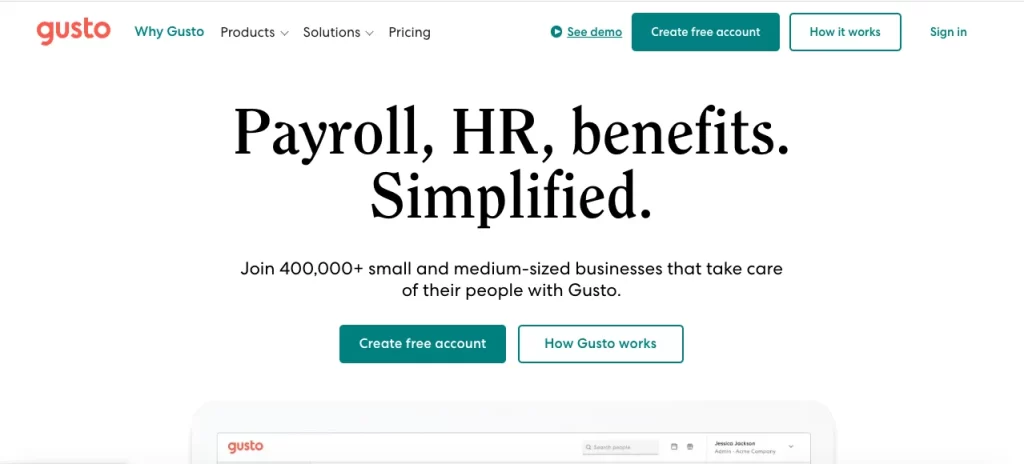
Gusto‘s come a long way from just payroll; it’s now a complete “people platform” that hasn’t lost its user-friendly touch.
For 2025, its standout features include super user-friendly design (think modern look, you barely need any training), customizable onboarding (you can make the new employee setup yours), smart time tracking (with helpful overtime alerts!), and integrated benefits (health insurance and more, all managed right there in the system).
Best for: Small businesses prioritizing employee experience and seeking powerful features without complexity.
Pricing starts at: $40/month + $6/employee (Simple plan)
Standout feature: Gusto’s Wallet app allows employees to access earned wages before payday.
ADP Run: Enterprise-Level Features Scaled for Small Operations
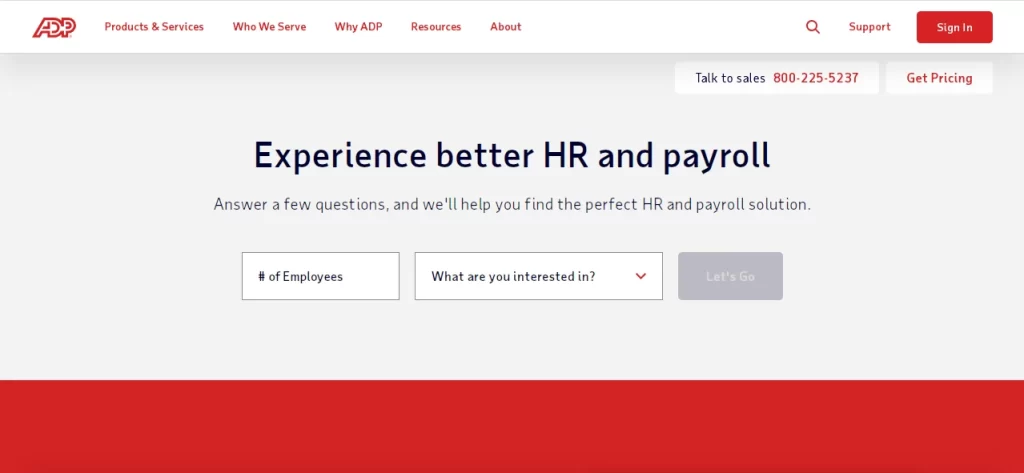
ADP brings decades of payroll expertise to small businesses through its Run platform. The 2025 version delivers:
– Unmatched compliance management across all jurisdictions
– Sophisticated tax management for multi-state employers
– Robust reporting capabilities with customizable dashboards
– Dedicated mobile app with comprehensive functionality
Best for: Growing businesses with complex compliance needs or those operating in multiple states.
Pricing starts at: Custom pricing based on business needs
Standout feature: ADP’s compliance expertise is unmatched, with constant monitoring of changing regulations across thousands of tax jurisdictions.
Paychex Flex: Customizable Payroll Plans with Excellent Support
Paychex Flex offers scalable solutions that grow with your business. Its 2025 offering includes:
– 24/7 U.S.-based customer support
– Dedicated payroll specialist assigned to your account
– Labor compliance poster kits and HR document library
– Employee financial wellness tools and resources
Best for: Businesses valuing personalized support and planning for significant growth.
Pricing starts at: Custom pricing based on services selected
Standout feature: Paychex’s dedicated payroll specialists provide continuity of service rare among competitors, reducing the frustration of explaining your business repeatedly.
Square Payroll: Seamless Integration for Retail and Service Businesses
Square‘s payroll is now a strong contender, especially for those using other Square tools. Key features include:
– Automatic syncing of timecards from Square POS
– Tip importing and distribution management
– Contractor-only plans for businesses with flexible workforces
– Instant payments option for employees and contractors
Best for: Retail, restaurant, and service businesses already using Square’s ecosystem.
Pricing starts at: $35/month + $5/employee (Full-service payroll)
Standout feature: Your crew can get paid right after their shift.
Rippling: All-in-One Employee Management and Payroll System
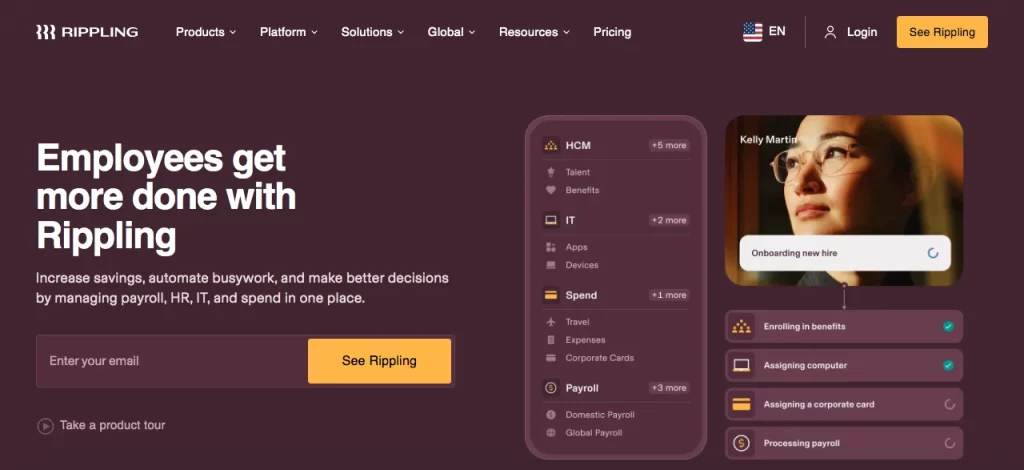
Rippling represents the new generation of integrated workforce platforms. Its comprehensive approach offers:
– Global payroll capabilities across 50+ countries
– IT management integrated with HR (device provisioning, app management)
– Advanced workflow automation for complex approval chains
– Sophisticated role-based permissions and security
Best for: Tech-forward companies seeking unified workforce management.
Pricing starts at: $8/employee/month (platform) + payroll module costs
Standout feature: Rippling is super smart because it handles both HR and IT stuff, which creates unique efficiency – especially for companies with remote or spread-out teams.
OnPay: Cost-Effective Option with Strong Industry-Specific Features
OnPay has carved out a niche with specialized features for certain industries while maintaining affordability. Its platform offers:
– Unlimited pay runs with all tax filings included
– Industry-specific features for restaurants, farms, and nonprofits
– Custom workflows and approval processes
– Free data migration and setup assistance
Best for: Price-conscious businesses in specialized industries like agriculture, nonprofits, or restaurants.
Pricing starts at: $40/month + $6/employee (single plan with all features)
Standout feature: OnPay’s specialized agriculture payroll features handle unique requirements like Form 943 and H-2A visa worker management.
How Much Should You Budget for Payroll Software in 2025?

Learn the true payroll software cost; prevent budget surprises.
Breaking Down Pricing Models
Most payroll services use:
- First, a $30-$150/month basic charge.
- Then, $4-$12/month for each employee.
A 10-employee business will pay around $70-$270/month ($840-$3,240/year). Use this to compare solutions accurately, not just starting prices. Always calculate your actual cost based on current staff plus 1-2 years of expected growth.
Hidden Fees to Watch Out for When Choosing Payroll Services
Besides the prices they advertise, a lot of payroll services just throw in extra fees that can seriously jack up your total cost.
These often include processing tax forms at the end of the year (that’s usually $50-$100 annually), filing taxes in more than one state (that’s, like, $12-$25 a month per extra state), time tracking add-ons ($3-$5 per employee per month), fancy premium support packages ($20-$50 a month), and then setting it all up and moving your data over (that’s a one-time $100-$500 charge).
So, always ask for a complete list of fees when you’re checking them out; the good, transparent ones will just hand it over.
ROI Considerations: When Premium Features Justify Higher Costs
Premium features often justify higher costs when they address specific pain points or create measurable efficiency:
– Tax Penalty Protection: Worth it if you’ve had past penalties.
– Same-Day Direct Deposit: Great for high turnover businesses.
– Dedicated Support: Choose if complex payroll needs frequent help.
– Advanced Reporting: Crucial for labor cost-driven decisions.
To figure out the potential return on investment (ROI), start by estimating how many hours you and your staff will save, then multiply that by your hourly rates. After that, add in the value of fewer mistakes, better compliance, and a happier employee experience.
Cloud-Based vs. Traditional Payroll Systems

By 2025, cloud-based systems have become the standard, but understanding the specific advantages helps clarify their value proposition.
Security Enhancements in Modern Cloud Payroll Solutions
Modern cloud payroll systems give you security perks that those old on-premises solutions just can’t keep up with.
These include enterprise-grade encryption for your data, whether it’s moving or just sitting there, biometric login options that make your credentials less risky, automatic security updates without IT involvement, geographic redundancy to protect against regional disasters, and SOC 1 and SOC 2 compliance certifications.
And the best providers are now even offering security guarantees that protect your money if there’s a data breach – something older software just totally lacks.
Accessibility Benefits That Support Remote Work Environments
Cloud systems eliminate traditional barriers to flexible work arrangements:
– Browser-based access requiring no special software installation
– Role-based permissions allowing appropriate access from anywhere
– Mobile-optimized interfaces supporting truly remote management
– Real-time collaboration features for distributed payroll teams
– Automatic backup and disaster recovery protection
These accessibility features prove particularly valuable for businesses with distributed workforces or owners who manage operations while traveling.
Automatic Updates and Compliance with Changing Regulations
Perhaps the most compelling advantage of cloud systems is automatic regulatory compliance:
– Tax table updates applied automatically without user intervention
– New tax forms and filing requirements implemented system-wide
– Regulatory changes reflected in calculations without patches or downloads
– Compliance notifications alerting users to jurisdiction-specific requirements
This “always current” capability eliminates the compliance risk associated with delayed updates in traditional software.
Implementing Your New Payroll System: Best Practices Guide

Even the best payroll solution can fail without proper implementation. Follow these best practices to ensure success.
Data Migration Strategies for Seamless Transition
Getting your data right when you move it is the main thing for any project to work.
You need to check all your employee data carefully before you move it, like making sure SSNs, addresses, and tax choices are correct.
Then, make sure your year-to-date totals for pay, taxes, and deductions match up. Write down all those special pay deals and regular deductions.
Run both old and new systems at the same time for a month or two to double-check everything. And try to move the data when payroll isn’t super busy.
Request your new provider’s data migration checklist early in the process, and allocate staff resources specifically to data verification.
Creating Effective Payroll Workflows and Approval Processes
Good payroll workflows hit the sweet spot between working fast and having enough checks in place.
You need to write down every single step, from getting time logged to handing out pay. Put in rules for approvals, like needing a check if someone works more than 20% overtime.
Make backup plans for every important job so things don’t stop.
Set calendar reminders for any weird payroll stuff. And write down all the rules you have to follow for your business, and where you are.
Revisit these workflows quarterly during the first year to identify optimization opportunities as you become more familiar with the system.
Common Payroll Software Challenges and How to Overcome Them

Anticipating challenges helps prevent them from becoming serious problems. Here are the most common issues and their solutions.
Troubleshooting Integration Issues with Existing Systems
When you’re trying to fix problems where your systems aren’t talking to each other, it usually comes down to a few things.
Sometimes, the data doesn’t look the same, so you have to work with both companies to figure out where the fields don’t match.
Other times, the APIs have limits, so you need to know how fast they update and how many times you can use them before you rely on them.
Login problems are common, so make sure your accounts are managed correctly. And if one system updates, old versions might not work together anymore, so always check that.
Establish clear responsibility boundaries between vendors before integration begins, and document which support team handles which types of issues.
Managing Compliance Across Multiple States or Countries
When a company has employees in different states or countries, following all the rules gets complicated.
They need to make payroll schedules that fit what each place requires. They also have to make separate checklists for new hires based on where they are.
It’s smart to set up automatic ways to track rule changes in all their locations. And for places outside their home country, they should really think about getting expert advice.
Look for providers with specific expertise in your operating locations, as compliance requirements vary dramatically by jurisdiction.
Scaling Your Payroll Solution as Your Business Grows
To make sure your payroll system can grow with your company, you need to plan ahead.
Figure out how many employees will make the price go up. Write down how you’ll add new company branches or tax IDs.
Check that the system can handle the number of people you expect to hire. And make sure it can support changes in how you do business, like if you hire more full-time staff instead of contractors, or get into new types of work.
The best systems grow with you without requiring migration to new platforms, so prioritize scalability even if current needs are simple.
Conclusion
Choosing the right payroll software is ultimately about aligning technology with your specific business needs. The ideal solution streamlines your current processes while providing flexibility for future growth.
For most small businesses in 2025, cloud-based systems offer the best combination of functionality, security, and value. Focus on solutions with strong tax compliance features, employee self-service capabilities, and integration with your existing business software.
Consider not just your current needs but where your business will be in 2-3 years. The right payroll partner grows with you, adapting as your workforce and compliance requirements evolve.
Take the next step today by evaluating your current payroll process, identifying pain points, and scheduling demos with 2-3 providers that align with your specific requirements. Your future self—and your employees—will thank you.
Hire the best candidates
with Wetest.
Create pre-employment assessments in minutes to screen candidates, save time, and hire the best talent.
Try for free