
Bonica
December 23, 2025
Many companies rely on people who work outside the main office. We’re talking technicians, delivery drivers, inspectors, stockers, all those employees without a traditional desk.
Trying to organize these teams efficiently takes endless phone calls or a bunch of random apps. That’s where mobile workforce management steps in.
MWM just means all the processes and software you use to schedule and support employees who are out in the field. It’s all about making sure the right person gets the right task at the right time and giving the office a view of where people are and how they’re performing.
Companies use MWM tools to cut down on travel time and improve how much work people get done to make the service delivery way better. They want to increase their efficiency and keep communication seamless between the office staff and the field crews.
MWM is quickly becoming a part of any modern company’s operational plan as more jobs become mobile and rely heavily on data.
Table of Contents
How Mobile Workforce Management Works
It works by linking the office people and the field employees together using one unified digital platform that makes every single part of field operations run better.
An MWM system puts dispatching, communication, location tracking, time logging, and reporting all in one central spot. This allows companies to organize their mobile teams with incredible precision.
Companies use MWM software to make sure the right person is assigned to the right job at the right time, and that they have the information to support them through the whole workday.
A main part of MWM is smart scheduling and dispatching. Forget traditional spreadsheets or calling people on the phone to coordinate. MWM software automates the scheduling by matching workers to tasks based on who’s available and what skills they have.
Dispatchers can change the schedule right away, and workers instantly get the updated job details on their phones.
Another essential piece is the interface the field worker uses. This app acts as the main operational hub for remote employees.
Workers can look at their assignments, pull up instructions, check off digital checklists, upload photos, get customer signatures, and chat with supervisors.
GPS tracking also makes coordination way better. It gives customers much more accurate arrival times to quickly jump on urgent requests. GPS tracking also improves accountability and safety.
Time capture and attendance tracking are also big pillars of MWM. Workers can clock in and out right from their mobile devices. This minimizes payroll mistakes and gives accurate records of time spent traveling.
MWM software collects info on job progress and employee performance. This lets managers spot what’s inefficient and refine their processes.
Key Features and Benefits to Look for in MWM Software
Choosing the right mobile workforce management software makes sure your field operations run reliably. The best MWM solutions all share a few core features.
Scheduling and Dispatching Engine
Good MWM software should give you automated scheduling tools that match workers to tasks based on their skills.
The system must let dispatchers make changes right away without losing productivity. A strong scheduling system makes response times better and cuts down on idle time.
Just as essential is having a powerful mobile app for the field employees. The mobile interface needs to give workers instant access to job details, instructions, safety checklists, and customer info.
It also has to let them communicate with their supervisors, upload photos and notes, and easily update job completion status.
Offline Functionality
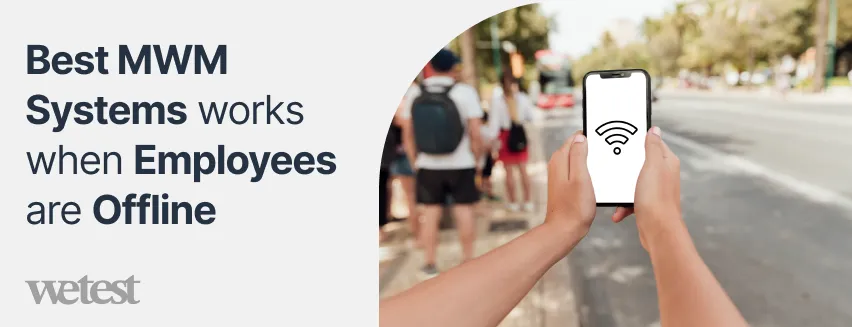
A lot of field teams work in remote areas, or places where the internet is terrible, and losing access to job data can derail an operation.
The best MWM systems let workers keep viewing tasks, collecting data, and filling out checklists even when they’re offline, and then it syncs everything once the device reconnects.
Route Optimization Capabilities
MWM software that includes route planning minimizes fuel costs and makes those estimated arrival times way more accurate.
The system can send teams on the fastest routes and help you deliver service quickly.
Integrations
A strong MWM platform should connect easily with all your existing business tools, like your CRM systems, ERP software, and payroll platforms.
These integrations stop data from being siloed and make sure information is consistent across all departments.
Reporting and Analytics Tools
Dashboards help managers track daily performance and make informed decisions that improve how efficiently things run.
These strong analytics capabilities can drive continuous improvement across your entire mobile workforce.
Mobile Workforce Management Examples
The MWM’s main goal is always to make coordination better and lower the operational friction.
Logistics and Delivery
The MWM is central to organizing drivers and making sure drop-offs happen on time in the logistics and delivery business.
Dispatchers can assign jobs instantly, track where the fleet is, and quickly change schedules as new orders flood in.
Drivers get updated directions right through their mobile devices, which helps them provide accurate proof of delivery.
Utilities and Field Maintenance
Technicians who are sent out to fix power lines and inspect water systems or maintain infrastructure have to follow strict safety rules and perform complex tasks in unpredictable locations.
MWM software ensures they get the most current job details and asset information before they even arrive on-site.
Managers can track their progress and quickly reassign workers when an emergency happens.
Healthcare

Companies that provide medical services right in people’s homes use MWM to organize nurses and caregivers who are visiting patients.
Care providers use mobile apps to access patient records and appointment schedules to make sure that the care stays consistent even if the provider changes.
Sharing information in real-time cuts down on administrative hassles and supports better patient care.
Construction
Construction companies also get a lot out of MWM systems since their crews are constantly moving between different job sites.
Supervisors can assign tasks and make sure the right materials and equipment are available when they’re needed.
Workers use mobile apps to document progress and communicate with the project managers.
Retail and Merchandising

Brands that send field reps to visit stores, check inventory, set up displays, and run audits use MWM to guide their daily tasks and collect accurate data.
Reporting ensures that the headquarters immediately sees how well things are being executed and if compliance rules are being followed.
How to Choose the Right Mobile Workforce Management System
You should start by clearly understanding what MWM software even does and if its main features match up with your operational needs.
The very first step is looking at the size and structure of your field operations. Smaller teams care more about simplicity, but bigger companies need more advanced scheduling logic and way fancier reporting tools.
You should map out your team’s daily routines and all their compliance requirements to make sure the platform you choose can handle work.
Another crucial thing is checking how intuitive and reliable the mobile experience is for your field employees. The mobile app is going to be the central tool workers rely on every single day. It has to be able to work even in places with poor internet.
Systems that have an offline mode and clear task interfaces are much better at supporting field teams that work in rural and industrial environments.
Most companies already rely on software like CRM platforms, ERP systems, inventory databases, or payroll tools. A workforce management system that connects with these tools keeps your records consistent across all departments.
Cost is obviously a big factor, but you should look at it based on long-term value, not just the monthly subscription price. You need to look closely at how the pricing works with your team size.
Companies should look for an MWM system that supports an easy implementation process. A phased rollout helps you find potential issues early and ensures people adopt the system.
Conclusion
Mobile workforce management has become a tool for any company that relies on field employees and deskless workers.
MWM systems help businesses run their operations way more efficiently than those old methods ever could. The ability to send the right worker at the right time has become a massive competitive advantage.
The examples we saw across logistics, utilities, healthcare, construction, and retail show just how many uses these systems have. Companies that invest in the right software get way better visibility into their field operations.
Picking an MWM system is about changing how your company manages its people and its processes. You can select a solution that supports growth and delivers improvements across your whole mobile workforce.
A Quora Rundown
I found a lively thread where professionals were sharing their experiences about our topic. The question was something like, “Which company provides the best field force management solution?”
You notice they’re using the term FFM instead of MWM. Don’t worry, it’s pretty much the same exact thing. Field force management is just the preferred phrase in countries like India. MWM is more of what we hear in North America and Europe, and it feels a tiny bit broader.
Choosing the Right Tool
Many users stressed that there’s no single best software. Success depends on matching the tool to your daily operations.
Vinay Singh offers a clear framework.
“I am hoping to add value by laying out an approach about how to answer this question for yourself. Field Force Solutions come in all shapes and sizes depending on the use case… One can employ a field force for Sales, Service, Delivery, Field CRM, Market survey, Site Inspection etc.”
He recommends evaluating, “horizontal features (like GPS-based market coverage, team hierarchy, visit planning, and alerts), vertical business features (order collection, visual merchandising, or route optimization for deliveries), and platform basics (offline capability, configurability, and robustness).”
Vinay warns that many companies mistakenly track people instead of market coverage.
“Most people make the mistake of tracking human resources, whereas it actually about tracking your market or process.”
Neha Singh added,
“To ensure you pick the right one for your company, you should outline your requirement to evaluate your most pressing business need… A good rule of thumb is that with field force management service provider who offers a 360-degree field force view, real-time data capture, field sales force tracking, hygiene management, and sales process automation.”
From Chaos to Control
One of the most relatable posts comes from Vijay Soni, who shared a mini case study.
“Running a field service business should be rewarding, right? But for me, it felt like an endless game of Where’s My Technician? One time, a client called, furious that no one had shown up… turns out, my guy had been there, but he went to the wrong address. Another time, a technician said he was ‘stuck in traffic’ for hours, only for me to later find out he was grabbing coffee. Enough was enough.”
After testing several tools, he saw quick wins: “Within weeks, missed appointments dropped, customers were happier, and my team was actually on schedule. Moral of the story? Running a field service business is hard. But with the right tools, it doesn’t have to be.”
Becoming the Employer of Choice
Jake Howard is a lawyer who works with service businesses. He focuses on the human side, something rarely covered in software brochures.
“There is not one but tons of different reasons how field service management software helps you become the employer of choice in modern times… It simplifies business management and work order management for all kinds of employees. No at-work hassles about roles, projects, and to-dos. Makes everything quick and sorted… Employees only have to use a single-interface to access work data and their personal to-do lists.”
He explains that removing spreadsheets and endless phone calls reduces frustration and makes technicians feel organized.
Offline Work in Low-Connectivity Areas
Some users discussed how critical offline functionality is in real jobs in rural areas.
Vinay Singh again:
“Support for Offline capability: Absolute must capability for a field force solution. Field Force solution is moving and has tight schedule to follow. Last thing they want is needing to do a transaction again because data connectivity failed them.”
James Anderson is a quality analyst. He lists offline support alongside other practical features his teams rely on daily, “Online & Offline Support… Intuitive Web, Mobile online and offline Forms to Gather Process Data.”
Features Users Love in Daily Work
Quora users shared specific tools and the exact features that saved them time and money.
Ayush Sharma praises SmartServ’s support team and industry focus.
“Their 24X7 live support and dedicated account managers… makes it more easier to adopt and use. Also, they’re helpful in suggesting some great strategies for your business.” He notes it serves HVAC, plumbing, and electrical companies well.
Kamna Pathak loves FeetPort for quick bulk actions: “Bulk Tasks Assignment… Real Time Updates… Dashboard Graphs.” She says these make managing 50+ field reps feel effortless.
Zenovoir Tec recommends C3FIELD for its low price: “Selfie and Geo based attendance, Route/Beat Plan, Expense Management, Real Time Tracking… This product from Crisro Solutions provides features like… Comprehensive Reporting etc.”
Luke Skywalker and Kustom ThreeSixty discuss their own mobile solutions that work offline and include custom report forms.
Quick Wins and Surprising Benefits
Users repeatedly mentioned results that appeared faster than expected.
James Anderson on Effort software: “Any company that relies on a mobile workforce will benefit… resulting in cost savings and enhanced productivity… Getting rid of your field’s operational costs [and] Increasing your field productivity and performance.”
Jasmine Ali points out how automated job assignment keeps everyone coordinated: “Real-time tracking and reporting, automated job assignment and real-time notifications help keep all the personnel coordinated.”
FAQs
What does mobile workforce management software do?
MWM software helps companies manage and coordinate their remote or field employees by combining scheduling, dispatching, task assignment, communication, location tracking, time and attendance logging, and reporting.
Which industries benefit most from mobile workforce management?
Industries that rely heavily on field staff or deskless workers. This includes logistics and delivery, utilities and field maintenance, healthcare, construction, field services, and retail or merchandising teams.
Can MWM systems work when field workers have limited internet connection?
Yes, a good MWM system should support offline mode. Field workers can still access job details, record time, fill out checklists or forms, and capture data on their mobile devices.
Is mobile workforce management suitable for small businesses?
Yes, it can benefit businesses of all sizes. Even small companies with just a handful of field employees can gain from the automation of scheduling.
What are the common challenges when implementing mobile workforce management?
Maintaining reliable communication and real-time visibility can be difficult if connectivity is unstable.
How quickly can a business expect to see results after deploying the MWM system?
Results often come swiftly. Companies notice improvements in efficiency, reduced downtime, fewer errors, and greater transparency within weeks to months of adoption.
Hire the best candidates
with Wetest.
Create pre-employment assessments in minutes to screen candidates, save time, and hire the best talent.
Try for free