Free Google Docs Resume Templates for Job Seekers: How to Find and Use Them
Employment
Bonica
December 10, 2024
Having a great resume is crucial. Your resume must quickly capture attention to make it into the “yes” pile.
Google Docs provides a simple solution for job seekers aiming to create professional resumes without costly software.
Its lovely interface and free resume templates make it an ideal tool for those seeking to present their experience.
I’ll help you find and customize Google Docs resume templates.
It would be best to learn how to select one that fits your career goals and strategies to tailor it for the best possible impact on employers.
Table of Contents
Google Docs and its Role in Resume Creation
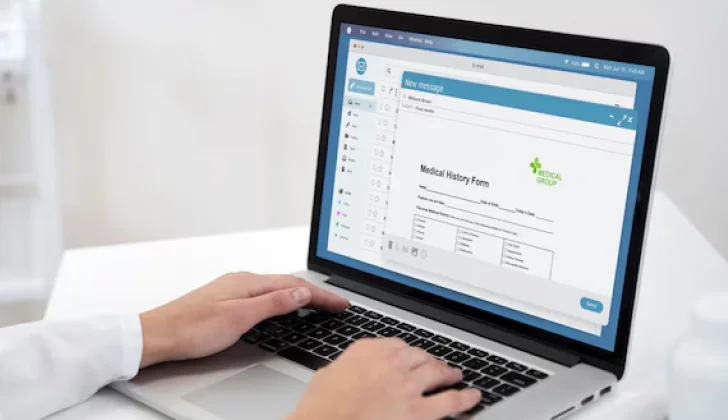
Google Docs is a powerful word processor that lives online. You can access it from any computer or phone using the Internet. Google Docs is perfect for job hunters who must work on their resumes.
It allows users to create and edit documents on Google Drive with no need to download any software. You can access it from any device.
Multiple will be able to work on the same document at the same time.
You can even set permissions to control who can edit or just view the document to make gathering feedback on resumes easier.
Users will save resumes in various formats, such as .docx, .pdf, and .rtf, directly from Google Docs.
Google Docs also offers tools to improve resumes. You can insert images or visually highlight linked files and people. It gives you tables to keep your document neat and organized as well.
This service is integrated with other Google tools like Google Sheets and Slides.
Benefits of Using Google Docs Resume Templates
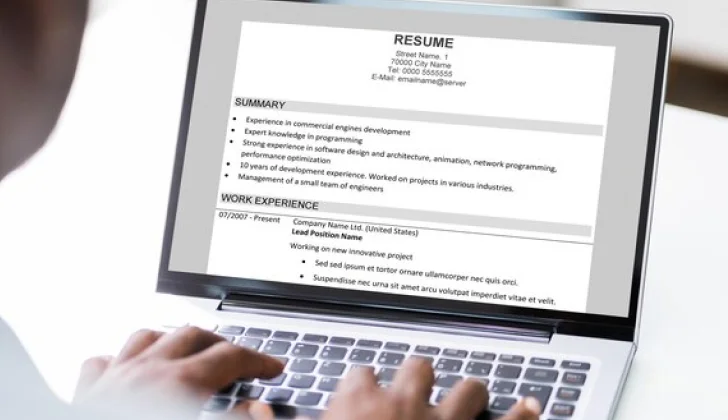
Google Docs resume templates offer professional designs for free. These templates come with clean, visually appealing layouts for resumes.
Using these templates saves job seekers money and time. They’re already formatted, so you can fill in the blanks and customize them to your liking.
Instead of designing from scratch, users start with a template that includes fonts and structure.
Templates are fully customizable! You can tweak fonts, colors, and section placements. This adaptability ensures that resumes are as unique as needed without extra effort.
One of the standout benefits of Google Docs templates is their accessibility for job seekers at all career stages.
The available templates offer adaptable formats suitable for candidates and executives.
Google Docs’ cloud-based nature ensures users access and edit their resumes from any device.
Where to Find Free and Paid Google Docs Resume Templates
Google Docs gives you a Template Gallery! This gallery makes it easy to access free resume templates directly on the platform:
Step 1: Open Google Docs.
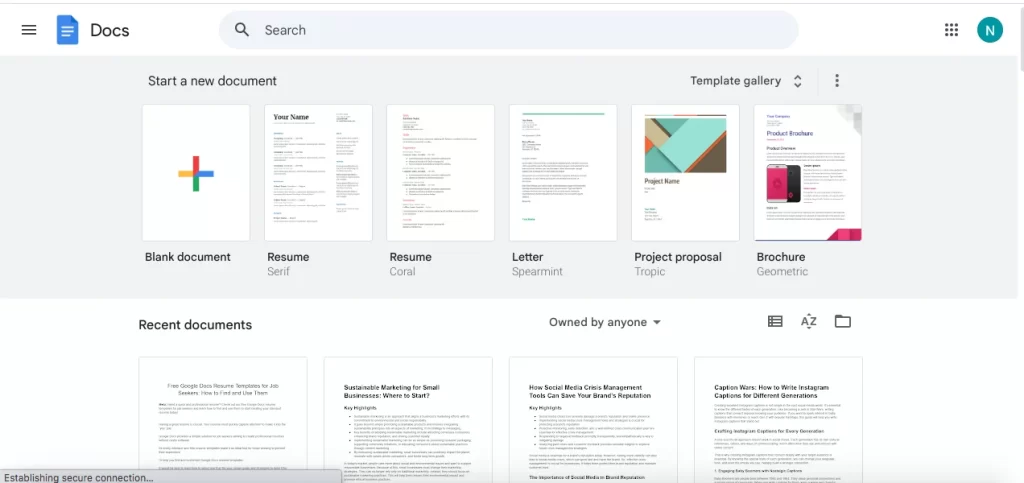
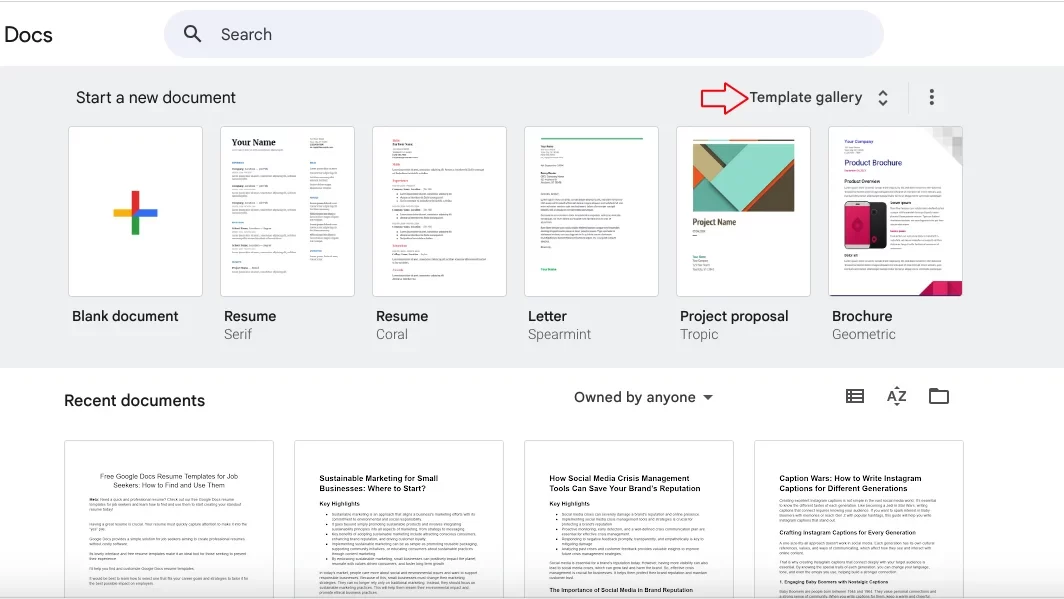
Step 2: Once on the homepage, click “Template Gallery” at the top right.
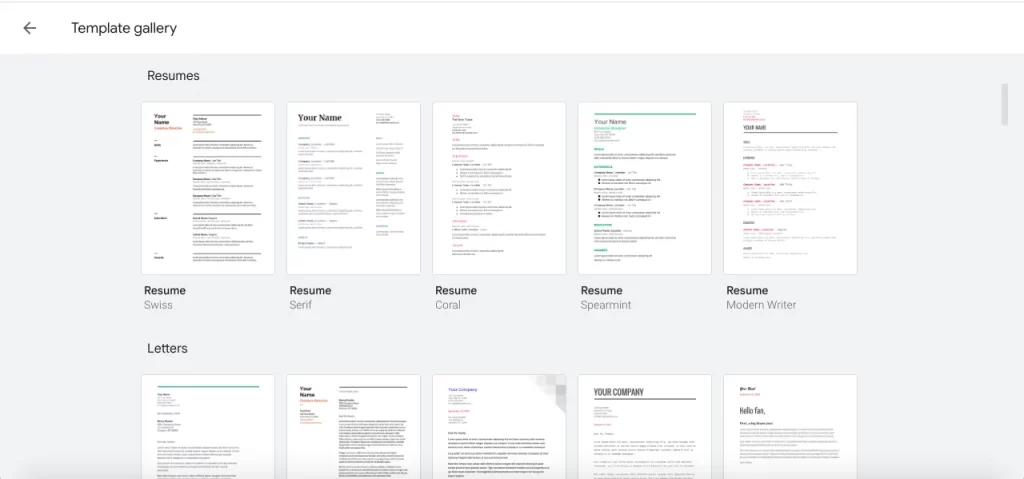
Step 3: The gallery includes sections like Resumes and Letters that contain various templates with layouts for different resumes.
Step 4: Click on a template you want to open in a new document. You can personalize the text and modify colors and fonts to suit your style.
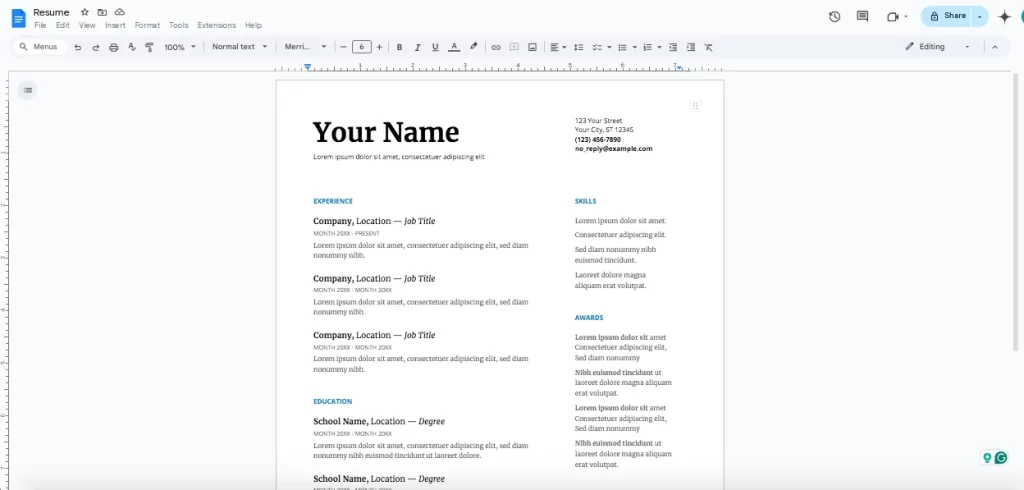
These templates offer a simple solution and are helpful for those looking for minimalistic formats.
Third-Party Sites
Several third-party websites offer both free and premium Google Docs-compatible templates.
Canva
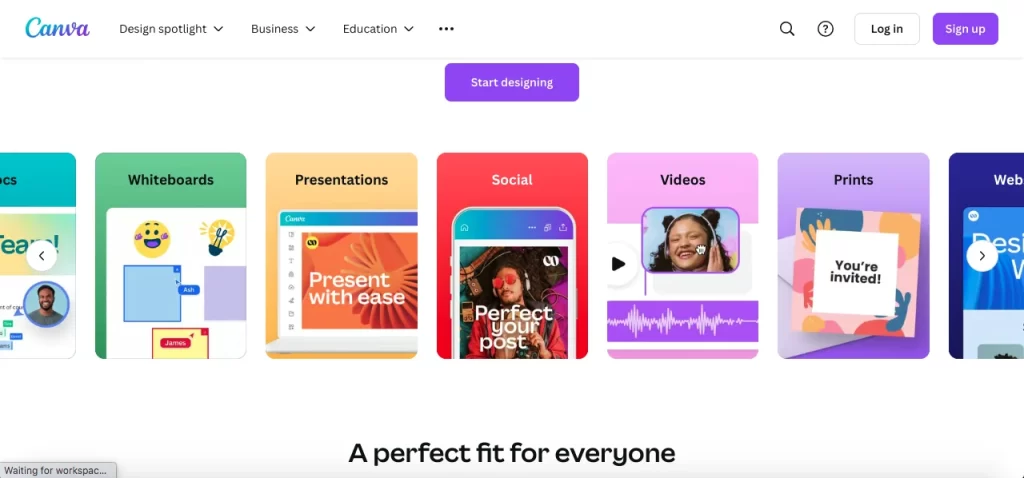
Canva is known for its engaging templates! Canva has a variety of free and paid resume options that integrate well with Google Docs.
Users start with Canva’s editor and then download the file to import into Google Docs. This flexibility is perfect for those looking for modern designs.
Hloom
Hloom offers various resume templates! You can find traditional and niche formats there.
Many of their templates are free. Users easily download them as files.
Etsy
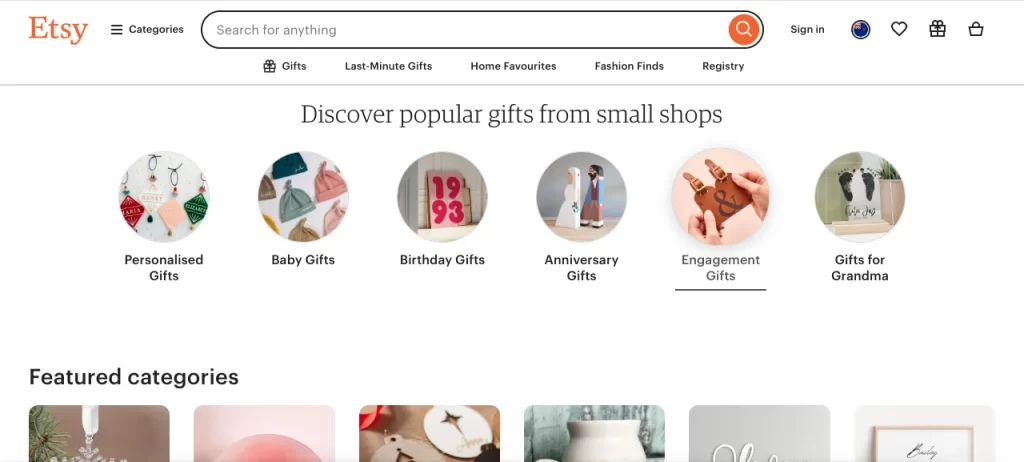
Etsy requires payment for many of its unique templates! It provides a marketplace of options from independent creators.
These templates come in many different styles. You can find a design that fits your personal brand.
These platforms give job seekers access to diverse layouts.
They are helpful if you need a resume tailored to specific industries like graphic design or tech.
Free Community Templates
Beyond traditional sites, there are also communities where users share resume templates for free:

Look for subreddits like r/FreeTemplates and r/resumes! Users frequently post free templates that can be used in Google Docs.
Community members often offer tips for customization, making the resource interactive.

Pinterest hosts a wide range of resume templates, often linked back to free downloads or customizable templates in Google Docs.
This platform is ideal if you’re looking for design inspiration.
These community sources have creative styles that differ from more conventional ones.
Many resources are out there to help you create a killer resume!
Types of Google Docs Resume Templates and When to Use Each
Google Docs offers various template styles.
Chronological
They are best for Job seekers with a stable work history. One key feature of this format is that it shows your work experience in reverse chronological order. It emphasizes career progression.
This format is perfect if you have a consistent work history without gaps.
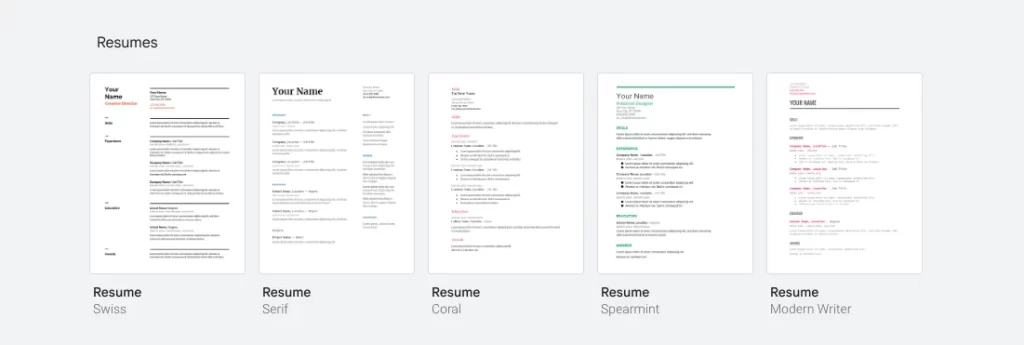
Spearmint Resume has a clean layout and straightforward format and is perfect for this purpose.
Functional
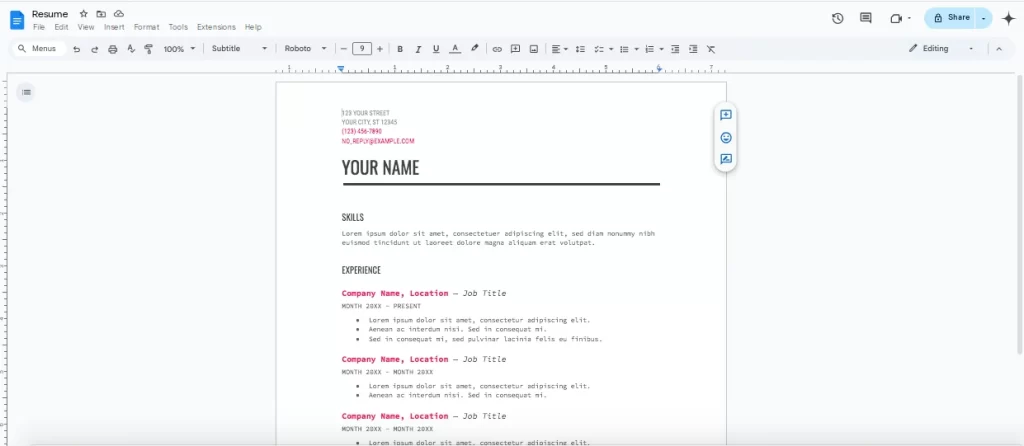
A functional resume is best for people with gaps in employment or a varied work history.
This format focuses on skills rather than chronological work history. If you are shifting careers, a functional resume emphasizes your skills over your past job roles.
Serif Resume has an elegant design that gives you a chance to focus on expertise and is ideal for this purpose.
Hybrid
These ones are great for combining relevant skills and a good work history.
It mixes elements of both chronological and functional resumes.
This format is suitable for mid-level professionals.
Coral Resume is dynamic and offers sections for both skills and work experience.
Selecting the Right Resume Template
Align your template with your industry and the specific job you’re applying for.
Each industry values different qualities in a resume, so it’s essential to choose a template that aligns with these preferences.
For fields like marketing, an engaging template is needed to show your creative flair. Consider color accents, unique layouts, and modern fonts.
Industries like finance tend to favor a clean resume format. A chronological template that lists your work experience in reverse order may work best here.
For fields like engineering, choose a straightforward template that allows room for certifications.
Technical resumes often benefit from a “skills-based” section near the top, where programming languages, tools, and specific software competencies are highlighted.
Matching your resume format to your industry can make a big difference. Recruiters often scan through many applications, so a resume that fits the industry standard can help you stand out.
Career Level and Experience

Your career stage influences which resume template will work best.
For those new to the workforce, a functional or hybrid resume is ideal.
A functional format emphasizes skills and education. When your work history is limited, you have room to add relevant coursework or projects. This approach is helpful for recent grads.
If you have several years of experience and are looking for roles that build on your career, a chronological resume is best. This format shows employers how you’ve advanced in your field.
For experienced professionals, a chronological resume that emphasizes leadership roles is typically best. A hybrid resume that balances achievements and key skills also works well.
Aligning with Job Requirements
Choose a template that fits the job you’re applying for and highlights the experience the employer is looking for.
For roles that require specific skills like software proficiency, consider a template with a prominent “Skills” section.
If your job emphasizes specific results, like “increased sales,” choose a template that has room for bullet points.
Some jobs prioritize people skills just as much as technical skills. A template with sections for volunteer work and team projects will help you bring up these soft skills.
Choosing the right template can really make your resume stand out.
How to Use and Customize Google Docs Resume Templates
You can use a pre-made template or import your own.
Accessing Templates
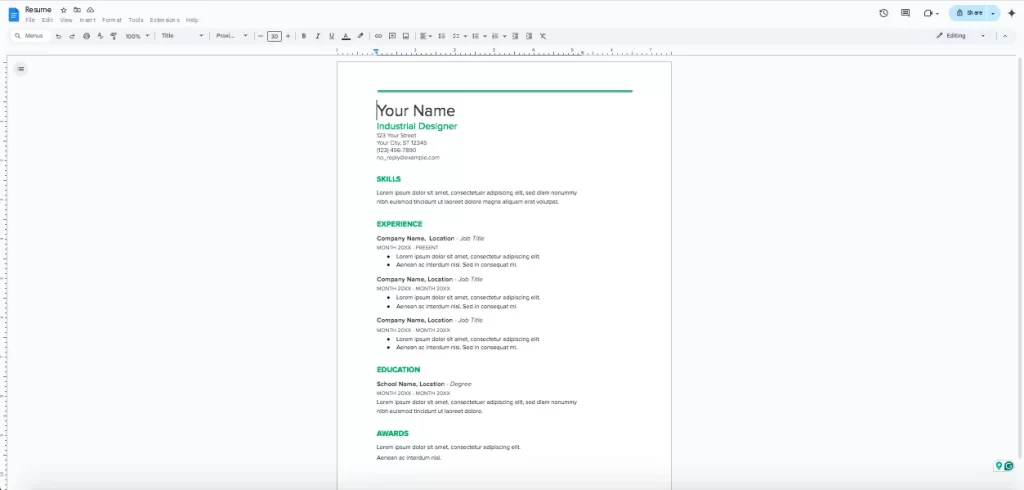
As I mentioned above, you can use the Template Gallery. You have a lot of options to browse online.
You can pick from a bunch of different resume templates that fit various industries.
Select the template that best fits your industry or import a resume template if you have one saved externally.
Importing is simple. Click “Template Gallery” at the top right on the Google Docs homepage. Then, go to “File,” select “Open,” and upload the document from your files.
Customization Tips
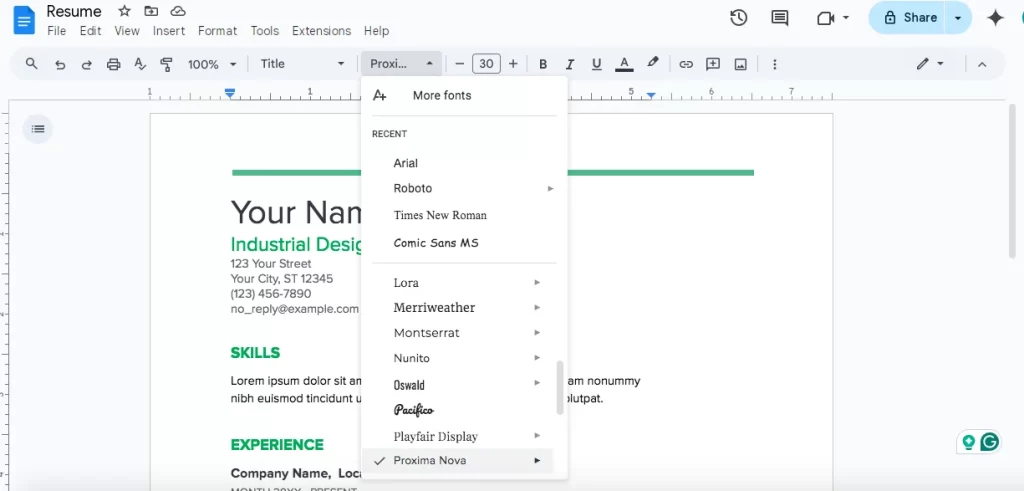
Google Docs offers a range of fonts and color options to give your resume a distinct look.
Stick with standard fonts like Arial or Times New Roman for readability and avoid too much color to keep a clean appearance.
Prioritize simplicity because an ATS may scan your resume before a human does! Use bullet points and standard formatting. Avoid tables or images, as these may not be parsed correctly by ATS software.
Make your resume easy to read by putting your name and contact info in a bold header. Use clear headings to separate sections like work experience and education.
Customizing these details gives your resume a unique edge.
Saving and Sharing Tips
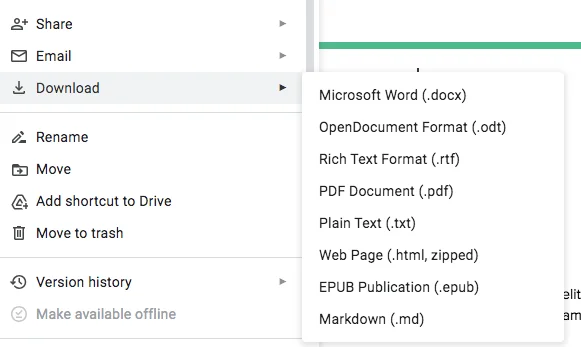
Choose the appropriate format for sharing. Google Docs has multiple saving and sharing options.
Save your resume as a PDF or DOCX file to meet different applications. PDF is generally preferred as it keeps the formatting consistent.
Go to “File” > “Download” > “PDF Document (.pdf)” to save a non-editable version. For DOCX, select “Microsoft Word (.docx)” from the download options.
Best Practices for File Naming
The file name of your resume is the first impression recruiters get even before opening it.
Use a clear format like: Firstname_Lastname_Resume.pdf (e.g., Michael_Ballack_Resume.pdf)
Avoid unnecessary details and special characters like dates and extra numbers. Use only letters, numbers, underscores, or hyphens. Make sure to never use special characters like &, %, or #.
If you want to share your resume online or collaborate with someone for edits, Google Drive is a convenient choice. Click on “Share,” adjust permissions, and copy the link to share.
Review your resume one final time. Use Google Docs’ revision history to track changes and ensure your document is polished.
Level Up Your Resume

Google Docs help you all the way, but you should do more than fill in a template!
Include the right keywords in your resume. ATS software scans resumes and ranks candidates based on keyword matches! Include key skills and try to integrate keywords into your resume naturally.
Keywords are vital, yet you should avoid stuffing them. They should fit in your achievements and responsibilities. Use standard section headings like “Experience” and “Education” and avoid complex details.
Managers are busy, so they’ll likely skim your resume. Make it easy on them with clear formatting that looks good, too! White space prevents overcrowding and gives your resume a clean look.
Use standard font sizes between 10-12 points for body text and a bit larger for headings.
Arrange different parts and use bullet points to facilitate skimming. Place the most relevant achievements near the top.
Proofreading
Proofreading ensures your resume is polished. Even minor errors will cost you losing the job!
Tools like Grammarly help with grammar issues and awkward phrasing.
Feedback is also helpful. Ask a mentor or friend to review your resume. A fresh set of eyes can catch errors you overlook or suggest ways to improve it all.
I recommend reading your resume aloud! It helps you catch any mistakes or weird phrasing.
Additional Resources
Cover letter writing and interview preparation are also elements that you can consider improving using some tools.
Some popular job boards like LinkedIn post job listings and offer company reviews and interview details.
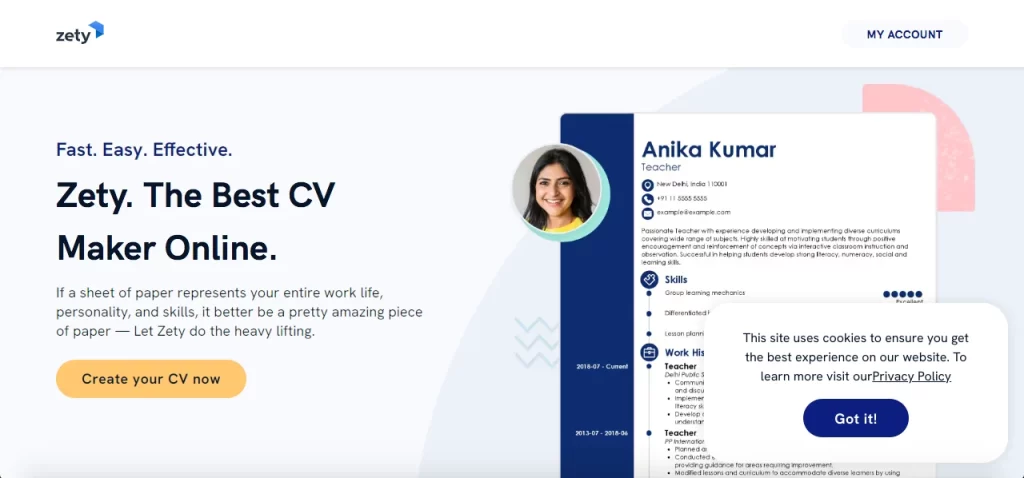
Sites like Zety offer features to help you create an ATS-friendly resume.
For cover letters, platforms such as The Muse provide cover letter guides and samples to tailor your letter for specific roles.
Jobscan is a powerful tool for ATS optimization. It scans your resume against a job posting to identify keyword gaps and suggests edits to increase compatibility with ATS filters.
Regularly updating your profile and joining industry groups help you connect with professionals and find job opportunities.
Hemingway Editor is another tool that can help simplify the language. Hemingway gives you complex sentences and suggests alternatives.
A Quora Rundown
Many users on Quora appreciate that Google Docs offers easily accessible templates. One user said, “It’s as simple as clicking into the template gallery. No fuss.” Google Docs’ interface makes it easy for beginners to start.
On Quora, a few users noted the templates’ lack of extensive design flexibility compared to tools like Canva or dedicated resume builders. One user mentioned, “Google Docs is great for simplicity, but you might feel limited if you want a more creative design.”
Google Docs templates are often praised for their compatibility with ATS. This is mainly because of their readable formatting. This point was echoed by a users as well.
Google Docs makes it easy to share the document with others for feedback. Users love this feature. This is considered useful for remote working or seeking advice from people.
Conclusion
Creating a professional resume using Google Docs is simple, versatile, and accessible to all.
We’ve discussed the key benefits of using Google Docs templates, from ease of access and customizable formatting to ATS compatibility and readability improvements.
By selecting a suitable template, optimizing for keywords, and polishing the design, you can create a polished resume that is ready to impress employers.
Advanced tools and resources, like Jobscan for keyword optimization and Grammarly for editing, add an extra layer of refinement to ensure your resume stands out from the competition.
Open Google Docs, select a template, and begin customizing your resume!
Look for other career resources, including job boards and LinkedIn networking, to build your profile as a strong candidate.
Hire the best candidates
with Wetest.
Create pre-employment assessments in minutes to screen candidates, save time, and hire the best talent.
Try for free