
Successful Virtual Collaboration: Tips and Tools
Business strategy
Bonica
July 26, 2024
Forget the days of cubicle farms. The modern workplace is all about flexibility and location independence.
More and more teams are ditching the office, and the virtual world is changing everything. But how do you make teamwork work when no one is around you?
Virtual collaboration is the solution! It keeps your remote team connected and productive.
Think of it like a virtual high-five. It strengthens communication between your remote crew and keeps projects on track.
Virtual collaboration is all about using technology to help online teams work together effectively. It enables teams to accomplish more in less time and allows the company to access a global pool of talent, bringing together all-star teams!
Successful virtual collaboration allows your team to work from anywhere, anytime.
Companies are about to say goodbye to expensive office spaces! High overhead costs are gone, and the focus is now on what truly matters.
Of course, the online world isn’t without its problems. Time zone challenges and occasional technical issues are waiting for you!
You need to learn about some tools and tricks to overcome these challenges.
Let’s get started!
Table of Contents
Benefits of Virtual Collaboration

The way we work is changing faster than ever before, and virtual collaboration is the new boss!
Let’s break down the top benefits that will have you rethinking the whole thing.
Increased Flexibility
Remember those good old days of being glued to your desk from sunrise to sunset? Virtual collaboration throws that schedule out the window. Flexibility is here!
The workplace can be a buzzing coffee shop or even a hammock strung between palm trees on a tropical beach, although Wi-Fi can be a challenge there!
The beauty of virtual collaboration is that it caters to everyone’s work style.
Early birds can work before the sun peeks over, and night owls can tackle projects in the evening.
This way, employees are less likely to burn out.
Talk about a win-win!
Cost Savings

Virtual collaboration is also a way to give the company’s budget a makeover.
You can ditch the costs that come with a traditional office. There is no more rent, expensive furniture, or electricity bills!
Free up serious cash can be reinvested back into the business.
Now, you can tap into a global pool of skilled people and attract the best.
Use the budget to get the best virtual collaboration tools and boost efficiency.
Improved Work-Life Balance
The struggle between work and life is a real drag, and virtual collaboration is a game-changer.
A healthier work-life balance comes along when you say goodbye to the frustration of rush hour traffic!
Eliminating the need for a daily commute gives you back precious time to sleep! You have enough time to spend with loved ones or even pursue hobbies.
Feeling trapped in an office can be stifling. You need a results-oriented work style, and virtual collaboration provides it.
Reduced stress and improved morale help the company to increase employee engagement.
Challenges of Virtual Collaboration

We talked about benefits a lot, but there are also challenges that need to be addressed.
Communication Barriers
One of the biggest challenges could be communication barriers.
It can be easy for misunderstandings to happen without face-to-face interaction.
Body language and facial expressions play a big role in a physical office, but these cues are often lost in the virtual world.
Emails and chat conversations easily cause misinterpretations. Even a simple question can sound like harsh criticism.
Different time zones can also be frustrating for team members who must wait a long time for responses.
Technical Issues

Technology is the backbone of virtual collaboration, but even the best tools have hiccups.
A weak or unstable internet connection can cause difficulty accessing files.
Even the most reliable software has bugs, and hardware malfunctions are a fact of life.
These issues can prevent team members from completing tasks.
Virtual collaboration often involves sharing sensitive information. Data breaches can pose a threat, making code security a critical component in safeguarding shared resources.
Building Trust and Team Cohesion
Building trust is challenging in a virtual environment.
Team members may find it difficult to feel invested in each other’s success.
The absence of casual chats and team lunches makes it challenging to build rapport. Knowing your colleagues personally is vital, and traditional offices do this.
It’s not impossible, but establishing strong team dynamics online takes time and effort.
Feelings of isolation and loneliness in remote collaboration can negatively impact everybody.
Tips for Successful Virtual Collaboration

Communication is the glue that holds any team together, and in a virtual world, it’s like super glue!
Organize Regular Check-Ins
Don’t overwhelm everyone with meetings.
Schedule quick video calls to chat about progress.
Daily or weekly huddles are great for keeping everyone in the loop.
Mix It Up With Your Communication Tools

While emails are cool for updates, they can get slow and confusing.
Use a project management tool to divide up tasks and share files. A chat platform like Slack or Teams is your go-to for quick questions.
Having a variety of channels keeps things interesting.
Be Clear and Concise

Speak in plain English!
Time is a precious commodity. Information overload is a constant threat. The art of concise communication is vital in the virtual world.
Take a second to clearly explain your requests before hitting send.
Short and sweet messages demand attention. When team members know they’re not wading through a novel, they’re more likely to participate.
Keep Your Data Safe
Sharing files and info is key to virtual teamwork, yet nobody wants them spilled online.
If your data is a top-secret message, you should use encryption tools whenever you can, like sending files under lock and key. To minimize this risk, always use encryption when transmitting files, and consider implementing managed file transfer (MFT) software to ensure data is securely exchanged and fully compliant with security standards.
Strong passwords are your first line of defense. No more “password123” or birthdays! Password Manager is of great help as it stores all your complex passwords.
Not everyone needs access to everything. Only give your files to those who need them, and if your team uses cloud tools, choose ones with top-notch security. Adding a freemium VPN to your setup can further secure your connection, especially when accessing shared resources in your virtual workspace.
Using a reliable VPN app ensures encrypted communication and protects sensitive data from unauthorized access.
You need your virtual workspace to be both collaborative and secure.
Essential Tools for Virtual Collaboration
There are some essential tools that can help you and your team.
Communication tools like Microsoft Teams allow you to stay in touch with your team members. Project management tools like Trello help you keep track of projects, and video conferencing tools like Zoom allow you to have meetings.
WebEx

Ever miss those meetings where you could whiteboard ideas? WebEx from Cisco brings that experience online.
You can fire up a video call with your team and share your screen to show presentations.
You can also host a webinar or online training session. WebEx makes it a breeze. It integrates with tools like Google Drive to work on documents together.
WebEx connections are stable and secure. Whether you’re a small startup or a global enterprise, WebEx has a plan that fits your needs.
This tool has everything you need for virtual collaboration.
Trello
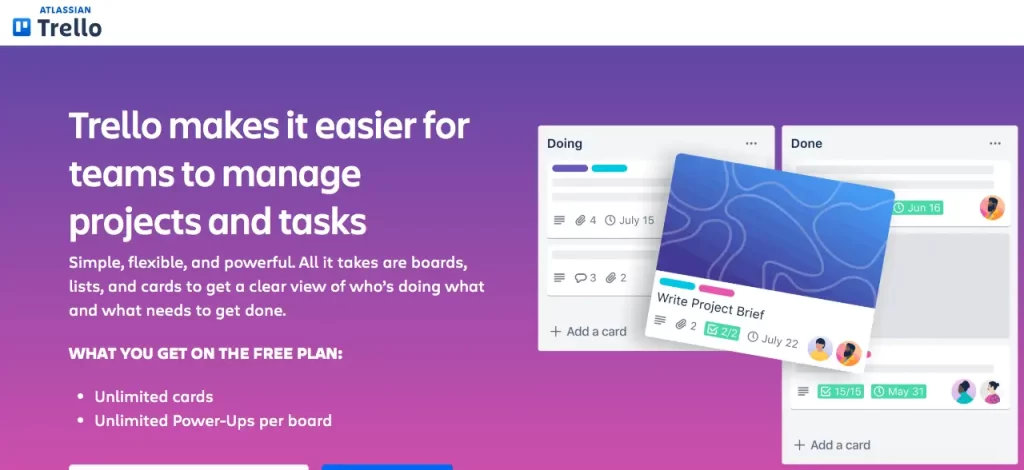
Trello was launched in 2011 to make things organized, and since then, it has become a favorite for over 10 million people worldwide.
Trello is your digital bulletin board for everything you and your team are working on.
You can set up different boards for different projects and then make lists for each stage, something like “To Do,” “Doing,” and “Done!”
Each task gets its own colorful card, like a digital sticky note. Slap a title on it, assign it to someone, set a due date, and everyone’s on the same page!
There’s even an activity sidebar that keeps track of all the changes made to the project.
Trello boards are fun and engaging to look at.
Basecamp
Do you crave simplicity? Basecamp is a breath of fresh air.
This tool was launched in 2004, well before the remote work revolution.
Basecamp promotes clear communication and organization. It becomes your central hub, a streamlined haven for all things about your project.
From discussions to to-do lists, everything resides in one easily accessible location. It has a user-friendly interface.
Basecamp is not for those who seek highly advanced project management features. Its strength is its simplicity.
Basecamp can be the missing piece that keeps your projects on track and your team connected.
Asana

We hate the struggle of all sticky notes and that sinking feeling of a project looming ahead. Asana is the cool conductor who helps your team’s workflow.
It was started in 2008 by Mark Zuckerberg’s right-hand man, Dustin Moskovitz. Asana tackles big projects by helping you chop them into tiny tasks.
You can assign these tasks to your teammates and set deadlines. This way you can ensure everyone rocks their part.
It isn’t just about bossing people around with tasks, although sometimes that is necessary! It’s about keeping the conversation flowing.
You can leave comments directly on tasks and upload files to share info.
They offer different project views to suit your team’s style. If your projects involve multiple moving parts, Asana’s features will help you.
Dropbox

Dropbox offers a safe cloud storage that acts as your personal digital vault.
It was Launched in 2007. Dropbox has become famous around the world for its user-friendly file management approach.
It’s a secure online locker where you can store all your crucial files!
It helps you keep everything safe and available, from documents to photos and videos.
You can simply upload your files and access them from any device. You can share files or folders with others with just a few clicks. Dropbox allows you to grant your team members editing permissions or keep things view-only.
Features like two-factor authentication and file recovery ensure your information stays protected.
Dropbox also automatically syncs your files across all your devices. It’s an excellent tool for virtual collaboration.
G Suite (Google Workspace)
G Suite is another hub! It offers a powerful suite of cloud applications that integrate with each other.
Google Workspace has become a popular choice for businesses. It’s an all-in-one software solution for companies.
What does a hub mean? It’s where you can manage your email, work on documents, schedule your meetings, and store all files! All under one roof!
Its powerful search functionality helps you find what you need quickly. A Google service, right?
G Suite packs a punch with other Google project management features like Drive, Calendar, and Meet. With everything in one place, your team can forget the switching and focus on what matters most.
Microsoft Teams
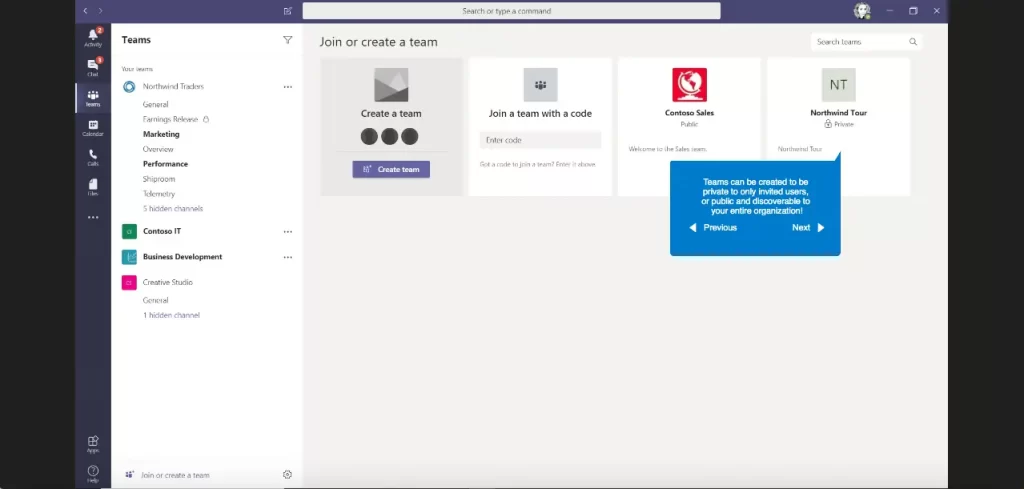
Microsoft Teams is a powerful platform that has become a central hub for many organizations.
Instead of juggling multiple apps and email threads, Microsoft Teams brings everything together.
You can have video meetings, chat with team members, and make calls.
It integrates with Microsoft Office tools like Word, Excel, and PowerPoint.
Microsoft Teams offers safe storage for your project files where you can share files easily with team members and collaborate on edits.
Jira
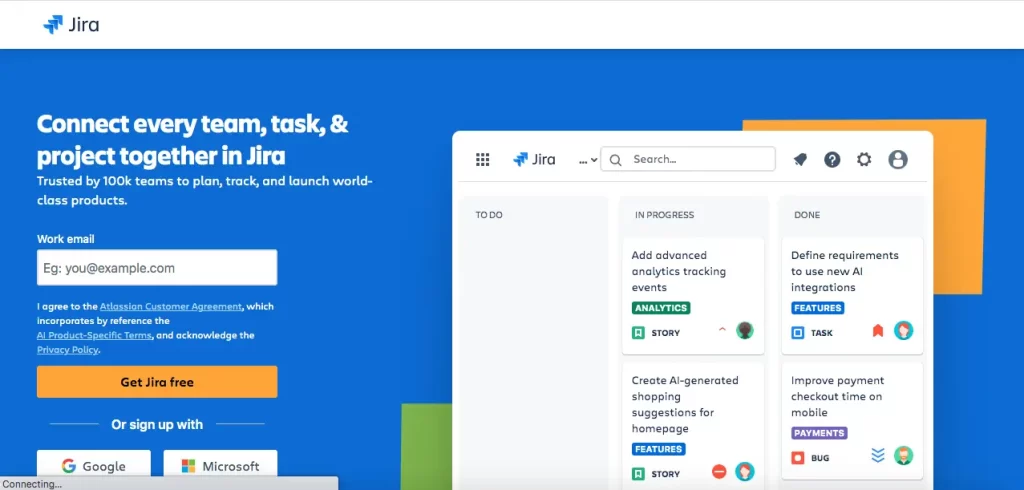
Atlassian developed Jira in 2002. Since then, it has become a solution for agile teams and organizations of all sizes. The flexibility of Jira project management software makes it an ideal choice for managing projects of all sizes.
Jira excels at managing intricate projects with multiple moving parts.
Again, like Trello, you can break down large goals into manageable tasks and assign them to team members. It allows you to set deadlines and track progress.
Jira helps you to customize workflows and create custom fields. Jira’s mobile app keeps you connected to your projects and team on the go.
Zoom
Remember those days of video conferencing where we looked like a robot underwater? Zoom fixes all that.
It has become one of the best apps for video calls that are clear and, dare we say, fun.
As a helpful virtual collaboration tool, Zoom lets you share your screen with ease. Breakout rooms are perfect for smaller group discussions.
Zoom’s mobile app lets you join calls and collaborate with your team from anywhere.
To improve your Zoom experience further, consider using the best Zoom note-taking app to capture every detail and stay organized during meetings.
Future Trends in Virtual Collaboration

Virtual collaboration has become the norm, but with technology, the way we work remotely is about to get even more interesting.
AI and Machine Learning
Imagine AI as a virtual assistant for your team meetings. It can summarize key points, assign tasks, and even flag roadblocks. This is the power of AI in virtual collaboration tools.
AI will soon be able to transcribe meetings and translate languages perfectly. It frees up your team’s time for more strategic work.
Artificial Intelligence can analyze project data and workloads. Ai can suggest task assignments and predict bottlenecks.
We already have AI that can perform these tasks, and we can expect AI to excel at them soon.
Virtual and Augmented Reality

Virtual and Augmented Reality will revolutionize virtual collaboration through immersive shared experiences.
What if you and your colleagues can appear as avatars in the meetings? You can use virtual whiteboards and work on 3D models. VR makes meetings engaging.
AR overlays can also project instructions and highlight specific components.
These are just a few examples, and the possibilities are evolving.
Conclusion
Virtual collaboration offers flexibility and improved work-life balance.
However, it presents challenges like communication barriers and technical issues. We have discussed solutions. The right tools and strategies can fix these challenges.
Using online tools like Microsoft Teams can help you build your virtual office. Implementing proper strategies, such as doing regular check-ins will make it perfect.
Your team will stay connected and productive no matter where they are.
Hire the best candidates
with Wetest.
Create pre-employment assessments in minutes to screen candidates, save time, and hire the best talent.
Try for free