
Bonica
May 29, 2026
Need to hire a WordPress developer who can build or fix your site without creating a bigger mess? This guide shows you how.
Hiring the wrong person can leave you with slow pages, broken plugins, security issues, messy code, and expensive fixes later.
So, how do you choose the right developer? You check the role, the work, and the proof.
This guide walks you through the types of WordPress developers, the WordPress developer skills to look for, where to find candidates, what questions to ask, and how to test real ability before you hire.
You will also learn how to avoid plugin conflicts, weak custom WordPress development, poor communication, and risky shortcuts.
Use it to compare candidates clearly, test their real WordPress skills, and hire with fewer costly mistakes.
Table of Contents
What Does a WordPress Developer Do?
A WordPress developer handles the technical work behind a WordPress site.
That could be something small, like fixing a broken form. It could also be something bigger, like building a custom feature, improving site speed, setting up plugins, connecting payment tools, or making the site safer.
Think of a booking system, for example. The developer might adjust the plugin, connect it to your payment provider, test the whole booking flow, and check that it works on mobile. That is more than just “installing a plugin.”
WordPress powers over 40% of all websites, according to W3Techs. So yes, there are many people who call themselves WordPress developers.
The real job is finding someone who can handle your specific problem without creating a new one.
When Should You Hire a WordPress Developer?
You do not need a developer for every small WordPress change.
If you are only updating text, replacing an image, or adding a basic plugin, you can probably handle it yourself.
But some issues are not worth guessing through. If the problem affects sales, customer data, site security, speed, forms, checkout, or how visitors use the site, it is better to bring in a WordPress developer.
That is where mistakes get expensive.
Clear signs you need a WordPress developer include:
Your site loads slowly or keeps crashing
Your checkout, form, or booking flow is broken
Plugins conflict after an update
Your site has security warnings or hacked pages
You need a custom feature that plugins cannot handle well
Mobile layouts look broken or hard to use
You keep seeing errors you cannot explain
For example, if your WooCommerce checkout fails after a plugin update, do not keep testing random fixes on the live site. A developer can test the issue on staging, check the error logs, fix the conflict, and protect sales.
Google says the chance of a mobile visitor leaving rises by 32% when page load time goes from 1 to 3 seconds.
Ask, “Can this mistake cost us leads, sales, trust, or data?” If yes, hire a developer instead of guessing.
Types of WordPress Developers You Can Hire
Not every WordPress developer does the same kind of work. Some focus on how the site looks and feels. Others work on logic, databases, plugins, speed, security, or online stores.
Choosing the right type saves time because you are not asking one person to solve a problem outside their real skill set.
Here are the main types to know:
Front-end WordPress developer
Best for page layouts, responsive design, navigation, buttons, forms, and how the site works on mobile. Hire this person if your site looks broken, feels clunky, or needs a custom design built into WordPress.
Back-end WordPress developer
Best for server-side logic, databases, user roles, custom post types, APIs, and complex functionality. Hire this person if the issue is behind the scenes.
WordPress theme developer
Best for building or customizing themes. This is useful when you need a custom look that is not limited by a ready-made theme.
WordPress plugin developer
Best for building, fixing, or extending plugins. Hire this person when existing plugins cannot handle your exact workflow.
WooCommerce developer
Choose a WooCommerce developer when your WordPress site needs to sell, take payments, or manage orders properly.
They deal with checkout, payments, shipping, product pages, taxes, subscriptions, and orders. This is not the place for guesswork. If checkout breaks, you lose sales.
Full-stack WordPress developer
Choose a full-stack WordPress developer when the project needs both visual changes and deeper technical work.
They can handle what users see, plus the logic behind it. This helps with custom websites, rebuilds, and bigger WordPress projects.
Hiring a general “WordPress expert” without matching the role to the problem can waste time, money, and patience.
Define Your WordPress Project Before You Start Hiring

Before you hire anyone, slow down and name the real problem.
“I need a WordPress expert” is too vague. It will attract the wrong people.
What do you actually need?
Maybe it is a design issue. Maybe the site is slow. Maybe checkout is broken. Maybe you need better security, a plugin fix, a custom feature, a migration, or someone to handle ongoing updates.
Once that is clear, the right skill set is easier to spot.
A checkout issue needs WooCommerce experience. A slow site needs someone who understands performance. A custom workflow may need back-end or plugin development. A redesign may need front-end or theme work.
Before you contact candidates, write a short project brief. Include the problem, website type, current setup, required changes, timeline, budget range, and tools or plugins involved.
Then ask each candidate how they would handle that exact problem.
Their answer will tell you a lot.
WordPress Developer Skills to Look For Before You Hire
The right WordPress developer skills help you avoid weak candidates, messy code, broken features, slow pages, security risks, and wasted money.
You do not need every skill in one person. You need the right skills for your project.
Core Technical Skills Every WordPress Developer Should Have
A WordPress developer needs more than dashboard experience.
They should understand the basics behind the site: PHP, HTML, CSS, JavaScript, MySQL, hosting, debugging, and Git. They do not have to be equally strong in all of them, but they should know how these parts connect.
This matters most when something breaks.
For example, if a form stops sending leads, the answer is not always “install another plugin.” The problem could be email settings, a plugin conflict, a server limit, a recent update, or a theme issue.
A capable developer knows how to check those things one by one.
WordPress-Specific Skills That Separate Real Developers from Theme Installers
Some people can install a theme and make a site look decent.
That is useful, but it is not the same as WordPress development.
For serious work, look for experience with child themes, hooks and filters, custom post types, plugin fixes, WooCommerce, staging sites, backups, migrations, speed work, and basic security.
These skills matter when the site needs something custom, breaks after an update, slows down, or starts relying on too many plugins.
That is where real WordPress skill becomes obvious.
Soft Skills That Matter When Hiring a WordPress Developer
Strong developers do not just write code. They ask clear questions, explain trade-offs, give realistic estimates, document changes, and warn you when a shortcut is risky.
Ask this during screening:
“What would you check before making changes to our live WordPress site?”
A good answer should mention staging, backups, plugin and theme review, recent errors, testing, and a rollback plan.
How to Review a WordPress Developer Portfolio Like a Hiring Manager
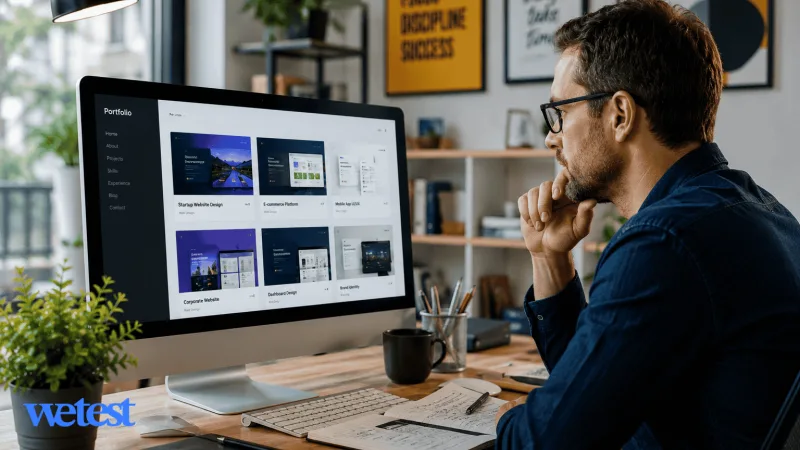
When you review a WordPress developer portfolio, look beyond the design. Check what the site does, how fast it loads, how it works on mobile, and whether the features match your project needs.
Be careful here.
A portfolio can include team projects, template edits, or sites where the candidate only made small changes. Always ask what they personally built.
Focus on a few key questions:
Did they build the theme, customize it, or only add content?
Did they work on plugins, checkout flows, forms, speed, or security?
Can they explain the problem, the solution, and the result?
Is the live site still working well on desktop and mobile?
For example, if you need WooCommerce help, do not judge the candidate only by a beautiful business website. Ask for e-commerce examples. Then ask what they handled: product pages, checkout, payment setup, shipping rules, or performance.
A strong candidate can explain their work clearly. A weak one hides behind vague lines like “I worked on this site.”
Where to Find WordPress Developers for Your Business
You can find WordPress developers in many places, but the best channel depends on your project size, budget, and how much vetting you want to do yourself.
General freelance platforms like Upwork, Fiverr, and Freelancer can work well for small fixes, simple theme changes, plugin setup, or short-term maintenance. They give you access to many candidates, but quality varies.
WordPress-specific platforms are better for complex work. Sites like Codeable focus only on WordPress projects, so they can be a better fit for custom plugin work, WooCommerce issues, migrations, performance problems, or larger builds. You may pay more, but you spend less time filtering weak matches.
Agencies are another option. They are useful when you need design, development, project management, QA, and long-term support in one place. This can help with full website builds or business-critical projects, but it often costs more than hiring one freelancer.
LinkedIn and job boards are better when you want a dedicated WordPress developer, part-time hire, or in-house team member.
Referrals can also work well because someone has already seen the developer’s work style, reliability, and communication.
Do not post the same vague job everywhere.
Write the project clearly first. Then choose the channel that matches the risk of the work. A broken contact form and a broken checkout system do not need the same hiring path.
Freelancer vs Agency vs Dedicated WordPress Developer: Which Hiring Model Is Right?
The right hiring model depends on the size, risk, and length of your WordPress project.
A freelance WordPress developer is best for small to mid-sized tasks. This can include bug fixes, theme changes, plugin setup, landing pages, or short-term support. Freelancers are more flexible and affordable, but you may need to manage the work closely.
A WordPress agency is better for larger projects that need more than development. Agencies often include designers, developers, QA testers, project managers, and support staff. This helps when the project has many moving parts, but the cost is higher.
A dedicated WordPress developer is a good fit when you need ongoing work. This could mean weekly updates, new features, performance checks, content support, or regular maintenance. You get more consistency than hiring random freelancers for every task.
Think about five things before you choose:
Project length
Budget
Technical complexity
Communication needs
Long-term support
For example, if you need a few page edits, a freelancer may be enough. If you are rebuilding a large website with custom features, an agency may reduce coordination problems. If your site requires constant changes every month, a dedicated developer may save time over the long run.
Choose based on risk, not just price.
The cheapest option is not always the best choice when your site handles payments, customer data, private accounts, bookings, or important business operations.
How to Hire a WordPress Developer Step by Step
Use this process to move from “we need WordPress help” to a safer hiring decision. Each step helps you reduce risk before you give someone access to your website, budget, or customer data.
Step 1- Define the Outcome, Not Just the Task
Do not start with “fix my website” or “build a WordPress site.” Be specific about the result you want.
Write down what is broken, what should happen instead, which pages or plugins are involved, how urgent the issue is, and whether it affects sales, users, security, or internal work.
For example, “Our membership login works on desktop but fails on mobile after the last plugin update” is useful. “Website issue” is not.
Step 2- Match the Project to the Right WordPress Developer Type
Use your project type to choose the right specialist. Layout issues need front-end or theme experience. Checkout problems need WooCommerce experience. Plugin conflicts need debugging or plugin experience. Speed issues need performance experience. Do not hire a generalist for specialized work unless they can show relevant proof.
Step 3- Write a Clear WordPress Developer Job Description
Include your website type, the main problem, required skills, current tools or plugins, expected timeline, work arrangement, and what the developer must deliver.
Mention important tools if they matter, such as WooCommerce, Elementor, ACF, WPML, LearnDash, Stripe, HubSpot, or custom plugins.
Step 4- Test WordPress Skills With a Relevant Assessment
A resume does not prove skill. A portfolio does not always prove skill, either.
Use a short assessment or paid trial task that reflects the real work, such as reviewing a plugin conflict, explaining a safe update process, or debugging a small WordPress issue.
For custom WordPress development, a PHP programming assessment is a strong starting point because it helps check whether the candidate understands the language behind WordPress, not just the dashboard.
Keep the test practical. You are not trying to get free work. You are trying to see how the candidate thinks, explains risk, and handles the kind of problem your site actually has.
Step 5- Interview for Judgment, Communication, and Risk Awareness
Do not only ask definition-style questions like “What is PHP?” or “What is a plugin?”
Ask scenario questions that show how the candidate thinks.
For example:
What would you check before editing a live WordPress site?
How would you handle a failed plugin update?
When would you build a custom feature instead of installing another plugin?
How do you document changes after finishing work?
What shortcut would you refuse because it could hurt the site later?
Good answers should mention backups, staging, testing, rollback plans, security, performance, and clear communication.
Step 6- Start Small and Set Clear Work Rules
When possible, start with one controlled paid task before handing over a large project.
Before work begins, agree on the basics: fresh backup, staging environment, temporary access, update schedule, main contact person, approval process, testing steps, and rollback plan if something breaks.
This matters because even a small WordPress change can affect forms, checkout, layouts, logins, or plugin behavior.
Watch how the developer handles the task. Do they communicate clearly? Do they test before making changes live? Do they explain risks before acting? Do they document what changed?
If the first task goes well, you can expand the work with less risk.
Step 7- Put the Agreement and Handoff Rules in Writing
Before full work starts, confirm the scope, payment terms, timeline, deliverables, access rules, code ownership, support period, and what counts as extra work.
Also define the handoff.
At the end of the project, the developer should explain what changed, which files or plugins were touched, what was tested, what risks remain, and what you should monitor next.
For larger projects, ask for basic documentation and maintenance notes.
A good WordPress developer does not just finish the task. They leave the site easier to manage than they found it.
How Much Does It Cost to Hire a WordPress Developer?

The cost to hire a WordPress developer depends on the project, skill level, location, and hiring model.
Small fixes cost less than a full rebuild. Custom WooCommerce work, plugin development, performance fixes, and security work cost more because they need greater technical skill.
Project Type | Estimated Cost Range |
Simple fixes or small edits | $50–$500 |
Landing page or theme customization | $500–$2,500 |
Custom business website | $2,500–$10,000+ |
WooCommerce development | $3,000–$20,000+ |
Custom plugin development | $1,000–$15,000+ |
Ongoing maintenance | $100–$2,000+ per month |
Hourly rates also vary. Freelance WordPress developers may charge less for basic work, while senior developers, agencies, or specialists usually charge more.
Budget for hidden costs too.
These can include premium plugins, better hosting, backups, security tools, testing, revisions, emergency fixes, and post-launch support.
For example, a cheap website build can become expensive if it later needs paid plugin licenses, mobile fixes, a hosting upgrade, and speed cleanup.
Set your budget around risk and complexity, not just the lowest quote.
WordPress Developer Interview Questions to Ask Before Hiring
Do not only ask what tools they know. Ask how they diagnose problems, protect the site, make decisions, and explain risks. This helps you avoid weak planning, bad code, unclear communication, security mistakes, and failed projects.
Technical Interview Questions for WordPress Developers
What would you check before making changes to a live WordPress site?
Look for backups, staging, access control, plugin review, testing, and rollback steps.How would you investigate a slow WordPress website?
A good answer may mention hosting, theme weight, plugins, database queries, images, caching, scripts, and Core Web Vitals.When would you build a custom plugin instead of using an existing one?
This shows whether they understand long-term maintenance, security, performance, and project fit.
Project-Based Interview Questions for WordPress Developers
Tell me about a WordPress project where something went wrong. How did you fix it?
This reveals real experience, not just polished portfolio talk.What part of your last WordPress project did you personally build?
This helps separate full ownership from small edits or team support.How would you handle a plugin update that breaks an important feature?
Look for calm diagnosis, staging tests, logs, rollback, and clear reporting.
Communication and Problem-Solving Questions
How do you explain technical risks to a non-technical client or manager?
How do you estimate work when the problem is not fully clear yet?
How do you document changes after finishing a task?
Use the answers to judge thinking, not confidence.
How to Onboard a WordPress Developer After Hiring
Hiring the developer is not the finish line. A poor handoff can cause delays, repeated questions, broken pages, access issues, and security risks.
Before they start, share the essentials in one place: project brief, staging access, plugin and theme list, recent site changes, backup details, brand guidelines, login permissions, and top-priority tasks.
Set one clear rule: non-urgent work happens on staging first. The live site should only be touched directly for urgent fixes.
Also define who approves changes, where tasks are tracked, how often updates are shared, and what counts as an emergency.
Use a simple 30-60-90 day plan:
First 30 days: review the setup, check backups, fix urgent issues, and document risks.
First 60 days: handle planned updates, improve workflows, test performance, and set a maintenance routine.
First 90 days: review results, plan larger improvements, confirm documentation, and decide the long-term role.
Clear onboarding helps the developer work faster and protects the site from avoidable mistakes.
Conclusion: Hire a WordPress Developer With Proof, Not Guesswork
Start with one simple step: write a one-page WordPress project brief.
Include the issue, goal, budget, timeline, required skills, site access needs, and examples of what you want fixed or built.
Then test before you trust.
A good WordPress developer should be able to explain how they would protect your site, solve the problem, and hand over the work without leaving a mess behind.
If your site supports online sales, assessing candidates before interview can help reduce guesswork before giving someone access to checkout, payment, or customer flows.
Do not hire based on confidence alone; hire based on proof, process, and fit.
FAQs
Can I hire a WordPress developer just to audit my site?
Yes. A developer can review your theme, plugins, speed, security, hosting, and update process before you commit to a larger project.
Should I hire a WordPress developer who uses page builders?
Yes, if the project is simple. For custom features, speed work, or complex sites, make sure they can code beyond page builders.
Can a WordPress developer work with my existing theme and plugins?
Usually, yes. They should review your setup first and tell you what can stay, what should change, and what may cause problems later.
Should I hire a local or remote WordPress developer?
Both can work. Choose local for close in-person work, and remote if the developer has strong communication, tracking, and testing habits.
Who should maintain the WordPress site after launch?
Assign someone before launch. It can be the developer, agency, or internal team, but someone must handle updates, backups, security, and fixes.
How do you make a WordPress developer job offer more attractive?
Be clear. Include the scope, timeline, pay, work style, approval process, and support expectations. Strong developers avoid vague offers.
What should be included in a WordPress developer contract?
Include scope, deliverables, timeline, payment terms, code ownership, account access, security rules, and handoff details.
Hire the best candidates
with Wetest.
Create pre-employment assessments in minutes to screen candidates, save time, and hire the best talent.
Try for free