
Bonica
February 6, 2026
The HCM software solutions are changing how brands and businesses manage their workforce, streamline HR processes, and drive employee engagement in 2026. It shows how important it is to start using such tools to level up your business!
However, with so many options available, finding the right Human Capital Management (HCM) software for your company can feel overwhelming, which is why this guide is here to help you along the way.
Why is that? In this article, we’ll analyze the top 30 HCM platforms, explain their key features, compare pricing, and highlight which tools are best for different business sizes and needs, which shows why this article is your ultimate research!
Whether you’re a small startup looking for an easy-to-use solution or a large company requiring robust automation and analytics, you’ll find all the information you need to make the right decision for your company.
By the end, you’ll not only understand what HCM software can do for your organization but also know which solutions are worth considering in 2026.
Table of Contents
What Is an HCM Software Solution?
A digital platform known as a Human Capital Management (HCM) software solution assists companies in managing all phases of the employee lifecycle, including hiring, onboarding, payroll, performance management, and workforce analytics. It is the solution that all brands and businesses need in 2026!
If you want to get an even simpler definition, here it is: A Human Capital Management software solution is a centralized solution that simplifies business operations, saves time, and provides businesses with valuable insights about their workforce.
It is the best way businesses can save time and energy while focusing on other important tasks.
By utilizing cutting-edge features like AI-driven hiring, automated compliance management, and real-time employee analytics, modern HCM software goes beyond conventional HR systems.
Are you a small business that wants to simplify HR operations? Are you an enterprise that wants to optimize workforce management operations? Whatever the case, an HCM solution can help you save time, reduce errors, and support business growth.
What Does HCM Software Usually Include?
HCM (Human Capital Management) software is much more than a digital HR tool. Modern platforms in 2026 are designed to cover every aspect of workforce management, helping organizations streamline operations, improve employee experiences, and make data-driven decisions.
While features can vary depending on the provider, most HCM solutions include the following core modules, though some businesses with complex compensation needs may also benefit from exploring specialized HR payroll software solutions.
Core HR Management
- Centralized employee database with personal and employment information.
- Organizational chart management and role tracking.
- Automated HR workflows for tasks like approvals, leave, and onboarding.
Payroll and Compensation Management
- Automated payroll processing with tax and compliance updates.
- Salary, bonuses, and benefits management.
- Integration with time tracking and attendance systems.
Talent Acquisition & Recruitment
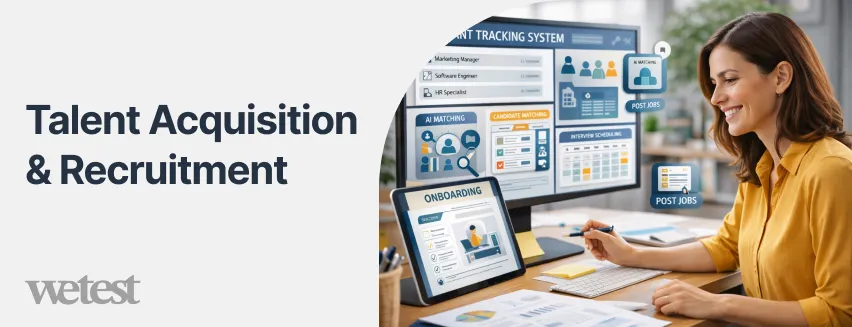
- Applicant Tracking System (ATS) to post jobs, manage applications, and track candidates.
- AI-driven candidate matching and interview scheduling.
- Onboarding workflows for a smooth new hire experience.
Performance & Learning Management
- Goal setting, performance reviews, and 360-degree feedback.
- Learning and development tools to upskill employees.
- Succession planning and career pathing.
Workforce Analytics & Reporting
- Real-time dashboards for HR metrics like turnover, engagement, and productivity.
- Predictive analytics for workforce planning.
- Custom reports for strategic decision-making.
Employee Self-Service & Engagement Tools
- Mobile portals for leave requests, payslips, and personal info updates.
- Employee surveys and feedback tools.
- Communication hubs to boost collaboration.
Compliance & Risk Management
- Automated compliance with local labor laws, tax regulations, and GDPR or other privacy standards.
- Audit trails and document management.
- Alerts for potential HR risks.
Best HCM Software Examples (Top Platforms by Use Case)
When it comes to choosing an HCM software solution, one size rarely fits all. The best platform for a fast-growing startup may look very different from what a global enterprise needs. That’s why understanding which HCM solutions excel in specific use cases is essential for making the right choice.
- For small and medium-sized businesses seeking simplicity without sacrificing functionality, platforms like BambooHR and Rippling stand out. BambooHR continues to be a favorite for its intuitive interface and robust core HR features, while Rippling combines HR, IT, and payroll into a single cloud platform, offering a seamless experience for teams that want automation without complexity.
- Enterprises managing thousands of employees across multiple regions often turn to SAP SuccessFactors and Workday HCM. SuccessFactors offers comprehensive talent management tools and deep analytics capabilities, making it ideal for organizations that need to align workforce strategy with business goals.
Workday HCM, on the other hand, shines with its AI-driven insights and global payroll integrations, helping HR leaders stay proactive rather than reactive.
- Companies with a strong focus on compliance, remote teams, or distributed workforces may prefer solutions like ADP Workforce Now or Ceridian Dayforce. ADP has long been trusted for payroll accuracy and regulatory compliance, while Dayforce brings real-time updates and predictive analytics that empower HR to make informed decisions about staffing and labor costs.
- Innovative platforms such as Deel and Papaya Global are redefining HCM for the global gig economy. These tools cater to companies that hire contractors or employees across multiple countries, handling compliance, taxes, and payments automatically.
They’re particularly useful for startups and scale-ups that need international reach without the overhead of a global HR team.
Ultimately, the key to selecting the right HCM software lies in matching your organization’s priorities, whether it’s user-friendly interfaces, advanced analytics, global compliance, or payroll automation, with the platform that best addresses those needs.
Understanding these examples helps you see which solutions excel in specific areas and gives you a clearer starting point before diving into the full comparison of the top 30 platforms.
How We Selected and Ranked These HCM Solutions
To make this list of the top 30 HCM software solutions in 2026 truly useful, we followed a careful and transparent selection process. Our goal was to highlight platforms that deliver real value to businesses of all sizes, not just the most popular names.
Here’s how we approached it:
- Feature Completeness: We evaluated each platform based on the core HCM modules it offers; including payroll, talent management, performance tracking, analytics, and employee experience tools. Platforms that provided modern AI features and automation scored higher.
- User Experience & Accessibility: Platforms were assessed on ease of use, interface intuitiveness, and mobile accessibility. A software solution that is complex to use can slow down HR teams, so usability was a key ranking factor.
- Customer Feedback & Ratings: We reviewed G2, Capterra, TrustRadius, and user testimonials to measure real-world satisfaction, reliability, and support quality. Platforms with consistently high user ratings ranked higher.
- Scalability & Flexibility: We prioritized solutions that scale with organizational growth, from SMBs to global enterprises, and allow businesses to choose modules based on needs rather than paying for unnecessary features.
- Pricing & Value: We compared pricing models and evaluated which platforms offer strong ROI for their cost. Transparent, flexible pricing and value relative to features impacted ranking.
- Innovation & 2026 Relevance: We considered new features, AI-driven analytics, global compliance support, and workforce insights that make a platform competitive in today’s HR tech landscape.
By using these criteria, we ensured this ranking is not arbitrary; it reflects a combination of features, usability, customer satisfaction, scalability, value, and innovation. The result is a practical guide that helps you find the HCM software best suited to your business needs in 2026.
Top 30 HCM Software Solutions in 2026 (Full List and Reviews)
Here is an updated list of top 30 HCM software platforms you can use in 2026:
Workday HCM
Workday HCM is a leading enterprise‑grade human capital management suite with strong HR, payroll, talent management, and workforce analytics capabilities. It is widely recognized for its comprehensive feature set, global compliance support, and AI‑driven insights that help large organizations manage complex workforces.
Reviewers praise its analytics and planning tools, though they note the steep implementation curve and high cost, which tend to make it best suited for large enterprises rather than small teams. Pricing is custom and typically based on employee count and modules chosen.
- Pros: Powerful analytics, global payroll support, highly scalable
- Cons: Higher total cost, complex setup
- Ideal for: Enterprise organizations
SAP SuccessFactors
SAP SuccessFactors is a robust HCM platform focused on talent management, performance, and learning. It excels in helping global organizations align workforce strategy with business objectives through deep analytics and configurable HR processes.
While pricing isn’t publicly disclosed and usually requires a sales call, the system’s enterprise‑grade capabilities appeal to organizations that need a strong global HR backbone. SuccessFactors is particularly popular among multinational companies.
- Pros: Strong talent and development tools, global scalability
- Cons: Higher complexity, cost not transparent
- Ideal for: Large, global enterprises
Oracle Cloud HCM
Oracle Cloud HCM offers a comprehensive, cloud‑native human capital management suite with strong automation and configurability. It’s designed for organizations that want an integrated HR toolset with AI‑enhanced workforce planning and customizable workflows.
Reviewers appreciate the platform’s power and flexibility, though smaller HR teams may find the system complex and relatively costly. Pricing is typically custom and consultative.
- Pros: High configurability, deep analytics
- Cons: Can be complex for smaller teams
- Ideal for: Mid‑large enterprises
ADP Workforce Now
ADP Workforce Now is a long‑standing HCM solution known for payroll accuracy and compliance automation.
Users on review platforms praise its reliable payroll and tax capabilities and comprehensive HR management features, though the interface can feel dated and its customization options limited. Pricing models are customized, and it fits well for mid‑sized to large organizations that need a trusted payroll partner.
- Pros: Strong payroll and compliance, trusted brand
- Cons: UI feels dated, pricing unclear
- Ideal for: Mid‑sized and large companies
Rippling
Rippling is an all‑in‑one HCM platform that uniquely combines HR, IT, payroll, and device management. With high user satisfaction scores on G2, Rippling is praised for its intuitive interface, modular pricing, and integration capabilities.
Users note it can automate workflows across HR and IT, saving time on administrative tasks, but some mention a learning curve and occasional support limitations. Pricing typically starts around $8 per employee/month for core modules, scaling with added features.
- Pros: Intuitive UI, strong integrations, modular pricing
- Cons: Pricing can get complex with add‑ons
- Ideal for: Mid‑sized to growing companies
BambooHR
BambooHR is consistently rated as a user‑friendly HCM system tailored for small to medium businesses. Its core strength is simplicity: clean dashboards, easy hiring and onboarding workflows, and employee self‑service.
While pricing isn’t directly listed online and requires a sales quote, BambooHR typically starts at mid‑range per employee rates and offers a free trial. Reviewers cite its intuitive design as a major plus, though advanced analytics features are more limited compared to enterprise systems.
- Pros: Simple to use, strong onboarding tools
- Cons: Pricing not transparent, limited advanced features
- Ideal for: SMBs and lean HR teams
Deel
Deel stands out as a global payroll and workforce platform designed to manage international employees and contractors. According to multiple review sources, Deel supports compliance and multi‑currency payments across countries, making it excellent for companies expanding globally. Pricing varies based on country and service type (e.g., EOR vs payroll only), often averaging up to around $29 per month for certain plans.
- Pros: Strong global payroll support, contractor management
- Cons: The benefits modules less developed
- Ideal for: Remote and globally distributed teams
UKG Pro
UKG Pro combines deep HR and payroll capabilities with strong workforce analytics and engagement tools.
It’s often cited by HR professionals for its rich reporting and compliance support, though some reviewers note mixed experiences with customer support and occasional interface complexity.
Pricing is typically custom. UKG Pro fits well with mid‑to‑large enterprises that need robust HR and workforce management.
- Pros: Comprehensive HR + payroll, strong analytics
- Cons: Support quality can vary
- Ideal for: Medium and large enterprises
HiBob
HiBob is a modern HCM platform that emphasizes employee engagement and performance alongside core HR functions. Users report that it’s easy to navigate and integrates well with talent acquisition tools, making it ideal for companies that prioritize culture and employee experience.
Pricing is usually custom. It serves mid‑sized organizations well, especially those with growing teams or distributed workforces.
- Pros: User‑friendly, engagement focus
- Cons: Custom pricing
- Ideal for: Mid‑sized companies
Personio
Personio has become a go‑to HR and payroll solution for European SMBs, with easy‑to‑use workflows improving hiring, performance reviews, and automation.
Though pricing tends to be custom, Personio targets businesses that want a scalable system with core HR, talent, and compensation features. It’s especially popular among companies with teams under 500 employees.
- Pros: Strong core HR features, European compliance support
- Cons: Pricing via sales only
- Ideal for: SMBs in EU/UK markets
Paycor
Paycor provides a full HCM suite with strong payroll, performance tracking, and engagement tools. Industry reviews highlight its solid mobile access and customizable templates, though reporting tools and certain UI elements can be complex for some users.
Pricing is custom and quotes are required. It’s well suited for medium‑sized businesses needing robust HR functionality without enterprise complexity.
- Pros: Comprehensive HR and payroll
- Cons: Pricing opaque, complexity in reporting
- Ideal for: Medium businesses
Keka HR
Keka HR positions itself as a full‑spectrum HCM solution with intuitive HR, payroll, talent management, and time‑tracking features. It’s particularly strong in automation and compliance workflows, making it a solid middle ground between basic HRIS tools and heavyweight enterprise suites.
Users appreciate its balance of capability and usability, though it’s less recognized globally than some competitors. Pricing is typically mid‑range and dependent on selected modules, with quotes available via sales.
- Pros: Balanced feature set without complexity, strong automation
- Cons: Not as globally recognized or extensive as enterprise brands
- Ideal for: Growing mid‑sized companies
Pocket HRMS
Pocket HRMS delivers a cloud‑first, AI‑assisted HCM experience with features like attendance tracking, payroll, employee self‑service, and performance modules.
Users often highlight its ease of use and built‑in automation, especially for time and attendance workflows, payroll integrations, and compliance reporting. Pricing is quote‑based, often competitive for companies needing robust HR without heavy enterprise cost.
- Pros: Easy to use with solid automation, strong payroll and attendance tools
- Cons: Fewer advanced analytics features compared to enterprise products
- Ideal for: SMBs and regionally focused teams
Darwinbox
Darwinbox combines comprehensive HR and payroll modules with smart automation and AI‑enhanced HR workflows.
It’s gaining traction globally for its robust talent management and engagement tools, as well as strong onboarding and succession planning capabilities. Deep localization features make it suitable for organizations that operate in regions with complex labor laws. Pricing is typically custom.
- Pros: Intelligent automation, strong talent and engagement tools
- Cons: Enterprise‑leaning complexity
- Ideal for: Mid‑to‑large enterprises
Zoho People Plus
Zoho People Plus brings HCM functionality into the broader Zoho ecosystem, offering core HR, onboarding, timesheets, performance, and leave management with flexible module selection.
It’s an affordable choice compared with many enterprise systems, often with transparent pricing tiers. While not as feature‑rich as high‑end platforms, its tight integration with Zoho’s business apps makes it valuable for companies already using Zoho products.
- Pros: Affordable, strong integrations with business tools
- Cons: Less robust analytics and global payroll
- Ideal for: Small to mid‑sized companies with existing Zoho usage
Zenefits
Zenefits offers an HCM suite focused on payroll, benefits administration, and compliance for small and medium businesses, especially in the U.S. According to user reviews, it’s easy to onboard and navigate, though some advanced HR automation features lag behind deeper enterprise suites. Pricing is typically affordable with tiered options.
- Pros: Strong benefits administration, simple payroll
- Cons: Limited advanced HR analytics
- Ideal for: Small to medium U.S. businesses
Paychex Flex
Paychex Flex blends payroll, HR, and benefits in a unified platform geared toward SMBs and mid‑sized businesses. Users consistently highlight its payroll accuracy and reporting tools, though the interface can feel traditional compared with newer cloud‑first solutions. Pricing varies based on services chosen.
- Pros: Accurate payroll, strong reporting
- Cons: Less modern interface
- Ideal for: SMBs seeking reliable payroll + HR
Papaya Global
Papaya Global specializes in global payroll and workforce compliance, making it ideal for organizations with distributed teams across borders.
Its automated payroll engine helps companies handle payments in multiple currencies while managing compliance with local regulations. Pricing can vary by country and services.
- Pros: Excellent global payroll and compliance
- Cons: Fewer advanced talent management modules
- Ideal for: Global and multinational teams
Gusto
Gusto combines payroll, HR admin, benefits, and compliance into one platform with standout ease of use.
Pricing starts around $49/month plus $6 per employee for small business plans, with higher tiers adding features like time tracking and enhanced support. It’s often praised for being intuitive, though larger organizations may outgrow its depth.
- Pros: User‑friendly UX, transparent pricing
- Cons: Fewer enterprise features
- Ideal for: Small businesses and startups
Lattice
Lattice focuses on performance management, engagement, and people development more than full HCM. It’s often paired with broader HRIS tools, but its strength lies in helping companies build performance frameworks, career paths, and continuous feedback cultures. Pricing is custom.
- Pros: Best‑in‑class performance and engagement tools
- Cons: Requires a complementary HRIS for core HR
- Ideal for: Medium to large teams prioritizing talent development
Oyster
Oyster is very strong in global employment and contractor management, handling payroll, compliance, and benefits for distributed teams.
It’s particularly attractive for companies adopting remote work models or hiring internationally with minimal administrative overhead. Pricing tends to be competitive for global payroll services.
- Pros: Strong global employment support
- Cons: Limited core HR beyond payroll and compliance
- Ideal for: Remote and international teams
EmployeeConnect
EmployeeConnect provides comprehensive workforce automation with tools for HR, payroll, rostering, and self‑service.
Users emphasize its configurability and support for complex HR rules. Pricing is custom, but the platform is often positioned between mid‑tier and enterprise HCM offerings.
- Pros: Highly configurable, strong HR workflows
- Cons: Custom pricing and rollout complexity
- Ideal for: Mid‑sized organizations with complex HR processes
WorkforceHub
WorkforceHub is an emerging all‑in‑one HR solution with integrated HR management, payroll, scheduling, and analytics. It’s known for offering a unified view of employee data and operational metrics, with pricing that’s typically more transparent than enterprise platforms.
- Pros: Unified dashboard, scheduling + HR combo
- Cons: Smaller ecosystem than global suites
- Ideal for: Mid‑sized companies needing integrated operations
BizMerlinHR
BizMerlinHR is a flexible platform that lets companies build custom HR workflows, leveraging automation and analytics. Reviews highlight its adaptability, though implementation can require more configuration than plug‑and‑play solutions. Pricing is quote‑based.
- Pros: Highly customizable HR workflows
- Cons: Requires setup investment
- Ideal for: Mid‑sized to large businesses with unique HR needs
Sage People
Sage People is a global HCM solution designed for mid‑sized companies seeking robust HR, payroll, and people analytics in one system. Users appreciate its reporting and workforce insights, though setup complexity and cost are considerations. Pricing is custom.
- Pros: Solid analytics, global-ready
- Cons: Custom pricing and setup
- Ideal for: Mid‑sized global businesses
Freshteam by Freshworks
Freshteam combines HR workflows, applicant tracking, onboarding, and basic HRMS features. It’s a strong choice for organizations that want a simple HR solution with job posting, candidate tracking, and employee lifecycle support. Pricing is affordable with multiple tiers.
- Pros: Affordable, strong ATS integration
- Cons: Not as deep on payroll or advanced analytics
- Ideal for: Small to mid‑sized teams
Connecteam
Connecteam focuses on frontline workforce needs, offering scheduling, time tracking, communication tools, and basic HR features. It’s optimized for teams with on‑the‑ground workers who need mobile access and simple HR tools.
- Pros: Excellent mobile experience, tailored to frontline workers
- Cons: Limited full HCM depth
- Ideal for: Field teams and frontline workforces
Oleeo
Oleeo is a recruiting‑centric platform that excels at sourcing, candidate experience, and talent pipelines. While it’s often paired with broader HCM systems for full HRIS coverage, its specialization makes it valuable for organizations focused on talent acquisition and diversity hiring.
- Pros: Innovative recruiting workflows
- Cons: Needs a complementary HRIS for full HCM
- Ideal for: Talent‑focused mid‑larger companies
Talentia HCM
Talentia delivers a global HR and payroll suite that’s strong on compliance, talent management, and workforce planning. Its modular approach lets companies scale features over time, with custom pricing reflective of deployment scope and region.
- Pros: Global compliance and modular scalability
- Cons: Pricing via sales only
- Ideal for: Mid‑large international operations
MiHCM
MiHCM blends core HR, payroll, and workforce analytics with a focus on AI‑led insights and automation. It’s a solid choice for growth‑oriented organizations that want actionable metrics and intuitive workflows without enterprise‑level complexity. Pricing is custom.
- Pros: AI‑powered insights, streamlined workflows
- Cons: Less brand recognition than legacy suites
- Ideal for: Growth businesses prioritizing analytics
Key HCM Software Features Comparison
Choosing the right HCM software isn’t just about brand names, it’s about understanding which features will make your HR processes more efficient, data-driven, and strategic.
In 2026, the leading HCM platforms combine automation, analytics, employee experience tools, and global compliance capabilities into a single, cohesive system. Comparing these features across platforms can help you pinpoint the solution that best fits your organization’s size, industry, and growth goals.
Modern HCM software typically includes several core modules, but the depth and sophistication of each feature can vary significantly:
- Core HR and Employee Management – At the heart of any HCM solution is a centralized employee database. Advanced platforms now offer not only personal and employment records but also dynamic organizational charts, role tracking, and AI-assisted workforce planning.
- Payroll and Compensation – Payroll automation remains a must-have, but in 2026, it’s increasingly intertwined with compliance monitoring and real-time tax updates. Sophisticated systems allow for seamless integration with benefits, bonuses, and global payroll processes.
- Talent Acquisition and Recruitment – AI-powered applicant tracking, predictive candidate scoring, and streamlined onboarding are now standard in many platforms. Leading HCM tools help HR teams attract top talent while reducing administrative bottlenecks.
- Performance and Learning Management – Performance reviews, goal tracking, and 360-degree feedback are now supplemented by personalized learning and career development tools. Analytics-driven insights help managers identify skill gaps and plan succession more strategically.
- Workforce Analytics and Reporting – Modern HCM platforms provide dashboards that track turnover, engagement, productivity, and retention trends in real-time. Predictive analytics helps HR leaders forecast workforce needs and make informed decisions.
- Employee Experience and Engagement – Employee self-service portals, mobile access, pulse surveys, and internal communication hubs have become essential. Platforms increasingly leverage AI to personalize employee experiences and boost engagement.
- Compliance and Risk Management – In 2026, HCM solutions must handle global labor laws, GDPR, and other regulatory requirements automatically. Advanced platforms provide audit trails, alerts for compliance risks, and tools to reduce HR legal exposure.
By comparing these key features across HCM solutions, organizations can make smarter decisions about which software aligns with their strategic goals, workforce structure, and growth plans. This feature-based approach ensures that your investment goes beyond basic HR administration and drives real business value.
Pricing Guide: How Much HCM Software Costs
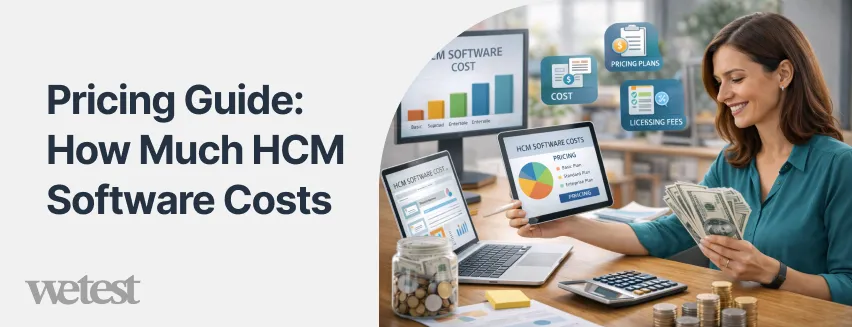
Understanding HCM software pricing can feel like navigating a maze, there’s no universal cost, and pricing models vary widely depending on features, company size, and deployment type.
In 2026, most HCM solutions follow one of several common approaches: subscription-based pricing, per-employee-per-month fees, or custom enterprise quotes.
For small to mid-sized businesses, cloud-based platforms like BambooHR, Gusto, or Rippling typically start around $5–$15 per employee per month for core HR and payroll functions.
Additional modules such as performance management, learning tools, or advanced analytics can increase the cost, often with flexible add-ons so companies can pay only for what they need.
Mid-market and enterprise solutions, including Workday HCM, SAP SuccessFactors, and Oracle Cloud HCM, often use custom pricing based on the number of employees, modules selected, and deployment complexity. For large organizations, costs can range from $20 to $50 per employee per month, with enterprise packages sometimes reaching six-figure annual subscriptions.
Several factors influence HCM software pricing in 2026:
- Number of Employees: More users usually increase subscription fees, but some platforms offer volume discounts.
- Modules and Features: Payroll, analytics, AI recruiting, global compliance, and employee engagement tools can all affect cost.
- Deployment Type: Cloud-based solutions often have lower upfront costs, while on-premise systems may require larger initial investments.
- Support and Training: Premium customer support, implementation assistance, and onboarding services can add to the total cost of ownership.
It’s also worth noting that the best value doesn’t always mean the cheapest option. A platform that integrates seamlessly with your existing tools, automates repetitive HR tasks, and provides actionable workforce insights can save your organization thousands of dollars in time and errors, making a higher subscription fee worthwhile.
By understanding these pricing models and factors, businesses can budget accurately, compare platforms effectively, and choose an HCM solution that delivers real ROI in 2026 and beyond.
How to Choose the Right HCM Software
Selecting the right HCM software isn’t just about picking a popular platform, it’s about finding a solution that aligns with your company’s goals, workforce size, and operational needs. With so many options available in 2026, making an informed decision requires evaluating multiple factors beyond just pricing or features. Here’s a framework to guide your selection:
1. Assess Your Organization’s Needs
Start by clearly defining what you require from an HCM system. Are you primarily looking to automate payroll, improve talent acquisition, enhance performance management, or gain advanced workforce analytics?
Identify the must-have modules versus optional add-ons to avoid paying for features you won’t use. For organizations that prefer not to manage software in-house, researching the best HR outsourcing companies can be a valuable alternative to fully implementing an HCM platform.
2. Consider Company Size and Growth Plans
The right HCM software depends heavily on scale. Small and medium-sized businesses may prefer intuitive, easy-to-implement platforms like BambooHR or Rippling, while enterprises often need robust, customizable solutions like Workday or SAP SuccessFactors that can handle thousands of employees across multiple regions. Factor in future growth to ensure your chosen platform can scale with your organization.
3. Evaluate Integration Capabilities
Your HCM software should integrate seamlessly with your existing tools, payroll systems, ATS platforms, productivity apps, and communication software. Integration reduces manual data entry, prevents errors, and ensures a unified experience for both HR teams and employees.
4. Look for Automation and AI Features
Modern HCM solutions leverage AI and automation to reduce administrative burden, predict workforce trends, and support data-driven decisions. Features such as AI-driven recruiting, automated compliance alerts, and predictive analytics can save time and improve strategic outcomes.
5. Consider Employee Experience
An HCM system isn’t just for HR administrators; it should enhance the employee experience. Look for self-service portals, mobile access, and tools that support engagement, learning, and feedback. A platform that’s intuitive and enjoyable to use can improve adoption and retention.
6. Check Vendor Reputation and Support
Even the most feature-rich software is only effective if the vendor provides reliable support, onboarding assistance, and updates. Research customer reviews, case studies, and support responsiveness. Some vendors offer dedicated account managers, implementation services, or training resources that can make a significant difference in deployment success.
7. Compare Costs and Total Value
Beyond subscription fees, consider total cost of ownership. This includes implementation, training, add-on modules, and long-term maintenance. A slightly higher-priced platform that saves time, reduces errors, and boosts productivity often provides better ROI than a cheaper alternative with limited capabilities.
Conclusion
Choosing the right HCM software is one of the smartest decisions you can make for your organization’s workforce management in 2026. By exploring this guide, you now have a clear understanding of the top 30 HCM software solutions, their key features, pricing, and how each platform can support your HR strategy.
Whether your priority is talent management, payroll automation, or enhancing the employee experience, this article has equipped you with the knowledge to make an informed choice that fits your company size, growth goals, and operational needs. Instead of sifting through countless options or relying on incomplete lists, you’ve gained a comprehensive, up-to-date overview of the HCM software landscape; all in one place.
Armed with these insights, you can confidently compare solutions, evaluate pricing, and select the HCM software that will not only simplify HR processes but also drive measurable value across your organization.
Reading this article wasn’t just a step toward understanding HCM software, it was a step toward transforming your HR strategy for 2026 and beyond.
FAQs
What is HCM software and how does it differ from HRIS or HRMS?
HCM software manages the full employee lifecycle and strategic HR functions, while HRIS or HRMS mainly handles HR data and administration.
Do small businesses really need HCM software in 2026?
Yes. Cloud-based HCM platforms save time, automate payroll and onboarding, and support growth even for small teams.
Can HCM systems support compliance with global labor laws?
Most modern HCM solutions update automatically for local and international regulations, reducing compliance risks.
How long does it typically take to implement HCM software?
Deployment can take a few weeks for small companies and a few months for larger enterprises with complex setups.
Is HCM software worth the investment for improving employee experience?
Absolutely. It centralizes self-service, feedback, and engagement tools, boosting satisfaction and retention.
What should you ask vendors before choosing an HCM solution?
Ask about scalability, integrations, support, flexibility, and total cost to ensure the platform fits your long-term needs.
Hire the best candidates
with Wetest.
Create pre-employment assessments in minutes to screen candidates, save time, and hire the best talent.
Try for free